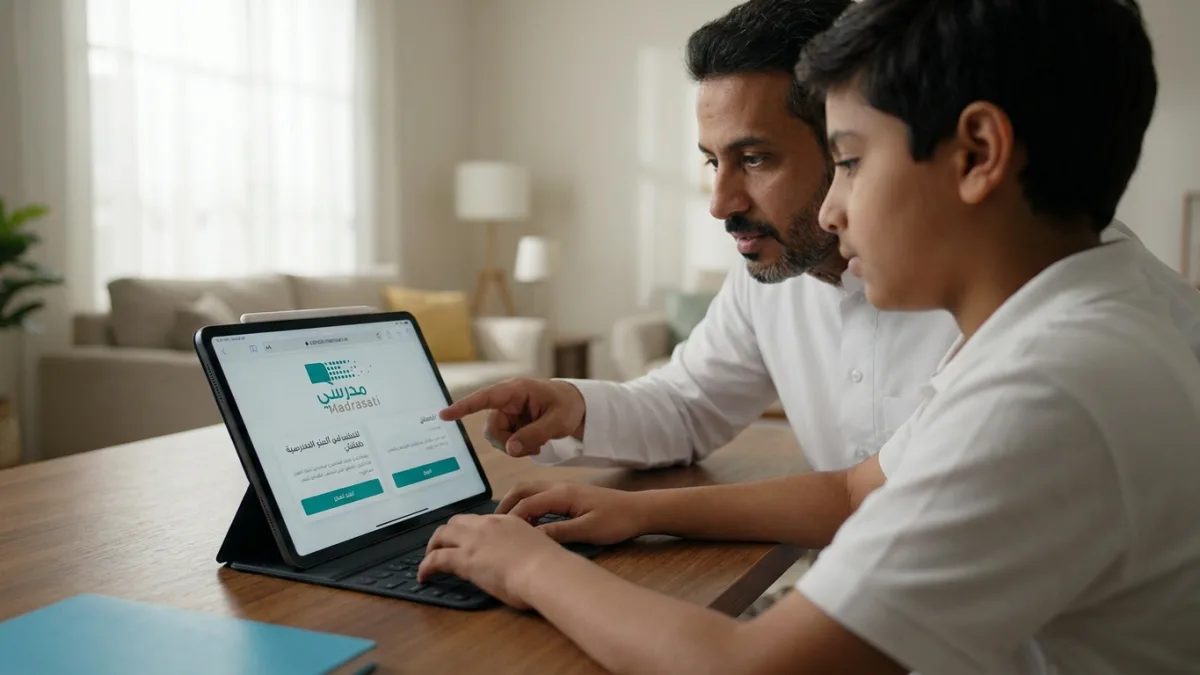
The Madrasati platform is the official e-learning platform of the Ministry of Education in Saudi Arabia, and its official link is schools.madrasati.sa. The Ministry provides it for free to students of all levels and their teachers, and parents use it to follow up on their children.
This guide gathers in one place the login steps for each category, how to attend classes and solve homework, solutions to the most common problems, and what you need to know about privacy and fraud.
How to log in to the Madrasati platform?
Students and teachers log in with a Microsoft educational account, while parents log in with a Noor system account. When opening the platform, these options appear:
- Kindergarten: Login with a Microsoft account.
- Educational staff and students: Login with a Microsoft account.
- Parent: Login with a Noor system account.
- Account recovery: When access is lost.
Student and teacher login
- Open the official link schools.madrasati.sa.
- Select Login - Educational staff and students.
- Enter your email or mobile number, then click Next.
- Enter your password, then click Sign in.
Login conditions: The student's data must be complete in the Noor system and linked to their school, and the registered mobile number must be correct. Student account data can be obtained via the Tawakkalna app.
Parent login
- Open the platform's official link.
- Select Login with Noor account for parent.
- Enter the username and password for your Noor system account.
Logging in from outside the Kingdom
The primary link may not work from outside the Kingdom or when a Virtual Private Network (VPN) is running, so there is a dedicated link for external access. Several sites mention it is external.madrasati.sa, and you log in using the same Microsoft educational account. Verify it through the official Ministry of Education accounts before entering your data.
Account recovery
If you forget your password or cannot log in, select Can't access your account? from the login page, or ask your school to reset the password.
What can I do on the Madrasati platform?
The platform's most important services are virtual classes, homework, and exams, all available from the website and the app.
How do I attend a virtual class?
Virtual classrooms run via Microsoft Teams.
- Go to the My schedule section.
- Select the required class.
- Click Join, and wait for the teacher to accept.
There are live classes, as well as recorded classes that can be watched outside the schedule time, and the student submits their activities from the app.
How do I solve homework on Madrasati?
- Open the Homework section, and you will see the subject, teacher, deadline, and homework status.
- Click Solve and answer the questions.
- Click Submit before the deadline ends.
The teacher creates electronic homework and assigns it to students, so if no homework appears for you, check with the subject teacher.
Exams and performance activities
Assessment tools include electronic exams and performance activities, such as projects, presentations, and concept maps. The teacher builds the exam using the platform's tool or Microsoft Forms. The platform displays progress reports, and the question bank contains a large number of questions according to the app's description in the stores.
Free Office programs
The Ministry provides students with a free version of Office 365 Education, which includes Word, Excel, PowerPoint, OneNote, and Teams.
Madrasati app
The app is available on Google Play, the App Store, and Huawei AppGallery. It displays exams, activities, and educational tracks, and allows attending synchronous classes via Teams.
Madrasati platform problems and solutions
Most login problems are caused by choosing the wrong account type, running a VPN, or having incomplete data in the Noor system.
| Problem | Solution |
|---|---|
| Student login fails | Choose “Educational staff and students” and not “Parent” |
| Forgot password | Recover it from the “Can't access your account?” option, or request a reset from the school |
| Page does not open or load | Clear the browser's cache, or try another browser |
| Site blocked with VPN | Turn off the VPN, as the primary link is geo-restricted |
| Logging in from outside the Kingdom | Use the external login link mentioned in the login section |
| Student data does not appear | Ensure their data is complete in the Noor system and the mobile number is correct, and check with the school administration |
| Transferred teacher's account does not work | Contact the platform coordinator at the education office to update the account's link to the new school |
Tips for teachers
- Test the class before its scheduled time to ensure audio and sharing work.
- Place the objectives, visual content, and assessment elements inside each class.
Tips for students
- Open the homework early and do not wait until the last hours.
- Keep your login data in a safe place and do not share it with anyone.
Privacy and security on the Madrasati platform
The Ministry of Education issued the Madrasati platform usage and privacy policy to protect personal data and information confidentiality. Among its most important recommendations:
- Do not share your password with anyone.
- Do not write your username and password on a paper or in a file to remember them.
- Change your password periodically.
- Do not click on unknown links or attachments, and do not install programs from untrusted sources.
How to protect yourself from fraud?
- Do not pay any unknown party for educational services or solving homework.
- Beware of calls impersonating a system administrator and asking the parent for card details or a verification code.
- Verify any circulating warning before publishing it.
Not every message from Madrasati is a scam. In August 2025, the Anti-Rumors Authority once again denied the validity of a circulating warning about a scam message regarding the platform. It clarified that this message is safe and is sent when activating the account and password. The rule is simple: an activation message you requested yourself is normal, but anyone asking for your verification code or card details is a scammer.
Academic integrity
The Ministry of Education warned against publishing electronic exam questions or promoting fake questions. Having someone else solve a student's homework on their behalf is considered a digital violation.
Frequently Asked Questions about the Madrasati platform
What is the official Madrasati platform link?
The official link is schools.madrasati.sa, and from it, the student, teacher, and parent log in.
How do I find out the student's username and password?
Student account data can be obtained via the Tawakkalna app, or from the school administration.
Is the Madrasati platform free?
Yes, the Ministry of Education provides it for free, and it includes a free version of Office 365 Education for students.
Why won't the Madrasati platform open for me?
The most common reasons are running a VPN, logging in from outside the Kingdom using the primary link, or temporary files in the browser. Check the problems table above.
Does the parent log in with the student's account?
No, the parent logs in with their own Noor system account via the “Parent” option, and the student logs in with a Microsoft account.
Is the Madrasati account activation message a scam?
No, the activation message that arrives when activating the account is safe. However, do not give the verification code to anyone who calls or messages you.
Sources
- Madrasati Platform - Official Website
- Madrasati Platform Usage and Privacy Policy - Ministry of Education
- Anti-Rumors Authority - Denial of Madrasati Message Warning (August 2025)