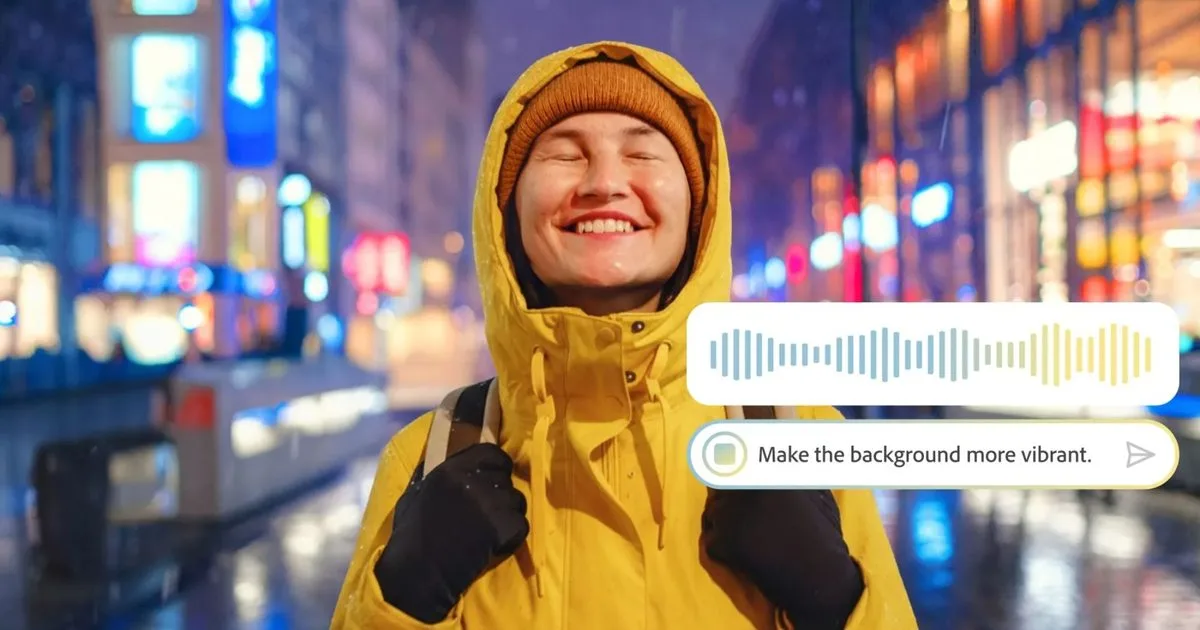
Adobe is transforming the digital editing landscape with a new AI-powered assistant for Photoshop, designed to execute complex edits through simple natural language prompts. Currently rolling out in beta for web and mobile platforms, this conversational helper eliminates the need to navigate dense menus, making professional-grade editing accessible to beginners while accelerating workflows for veterans. By simply typing or speaking instructions, users can instantly modify backgrounds, adjust lighting, or remove unwanted objects.
This feature represents a significant leap in Adobe's broader generative AI strategy, joining recent innovations like conversational PDF editing in Acrobat and AI Object Mask selection in Premiere. By shifting from manual tool selection to intent-based prompting, Photoshop is evolving into an interactive creative workspace where the software handles the technical execution behind the scenes.
Step-by-Step Guide: Using the Photoshop AI Assistant
- Access the Beta Platform: Open Photoshop on the web or launch the updated mobile app. Why: The AI assistant is currently exclusive to these beta environments before a wider desktop release. Result: You will enter the new interactive workspace equipped with the conversational helper.
- Activate the Conversational Helper: Locate and tap the AI assistant icon within the interface. Why: This initiates the natural language processing engine. Result: A chat-like interface will appear, ready to receive your text or voice commands.
- Input Natural Language Prompts: Type or speak specific instructions, such as "remove the background object" or "adjust the lighting to golden hour." Why: The AI translates your descriptive intent into technical software actions. Result: The assistant will automatically execute the requested color corrections, object removals, or lighting adjustments.
- Request Workflow Guidance: Ask the assistant "how to" perform a specific technique if you prefer manual control. Why: Beyond automated edits, the tool acts as an interactive tutor. Result: The assistant will recommend specific tools and provide step-by-step instructions for advanced workflows.
My Take
The introduction of a conversational AI assistant in Photoshop marks a fundamental shift in how creators interact with design software. By lowering the barrier to entry for complex tasks like color correction and object removal, Adobe is democratizing high-end photo editing. However, the true value lies in its dual functionality: it doesn't just do the work for you; it teaches you the software by recommending tools and explaining workflows. As this beta expands from web and mobile to the flagship desktop app, expect a drastic reduction in the time professionals spend on repetitive masking and adjustment tasks.
Frequently Asked Questions
Q: Where is the new Photoshop AI assistant available?
A: It is currently rolling out in beta exclusively for Photoshop on the web and mobile apps.
Q: What kind of edits can the AI assistant perform?
A: The assistant can automatically modify backgrounds, adjust lighting, correct colors, and remove unwanted objects based on text or voice prompts.
This article was written by AI from reporting by digitaltrends.com.