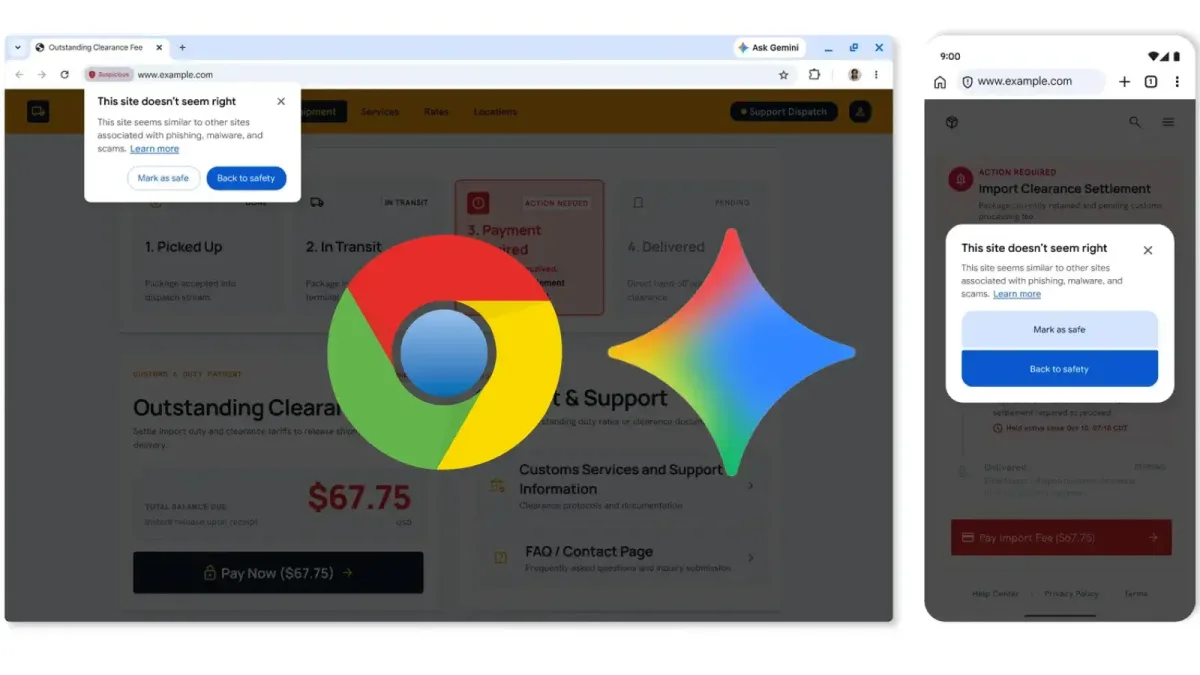
Google has upgraded its scam defenses through a new Google Chrome Gemini AI integration that runs on a server-side model to identify fake antivirus warnings, fraudulent browser updates, and other deceptive websites. Announced on October 20, 2026, and reported by Divya at GBHackers, the update extends coverage to all users who turn on the Enhanced Protection mode within Safe Browsing.
The server-side deployment builds upon an earlier on-device Gemini integration that Google introduced in 2025 to catch technical support scams on supported hardware. Shifting the processing to a more powerful server-side model allows Chrome to cover a wider range of devices and evaluate more varieties of web scams.
How Server-Side Gemini Evaluates Scam Pages
Instead of deciding on its own whether a website is dangerous, Gemini provides contextual analysis to Safe Browsing. The model inspects page content to identify the brand being referenced, evaluate the page's intent, and calculate a scam likelihood score. Safe Browsing then pairs that score with domain reputation and other security signals to reach a final verdict.
According to Google, Chrome restricts this server-side inspection to the text of pages that already exhibit high-confidence scam indicators. The company states that the processed text is ephemeral and is neither logged, retained, nor used for model training, which limits data sharing while still enabling deeper inspection of suspicious pages.
Separate Warnings for Suspicious and Dangerous Sites
Under Enhanced Protection, Chrome is rolling out distinct warning categories that separate suspicious websites from dangerous ones. Suspicious site warnings apply to lower-confidence detections where pages display deceptive patterns linked to malicious sites. These alerts vary in their layout, wording, colors, and icons to notify users about potentially harmful pages.
Dangerous verdicts remain reserved for known malicious websites that carry a high risk of harm. Those pages continue to trigger Chrome's standard full-page red warning, maintaining a clear separation between confirmed threats and possible deception.
Defending Against ClickFix Clipboard Attacks
The update also introduces protections against ClickFix attacks, which deceive users into copying and running terminal commands under the false pretense of fixing a fabricated issue. These schemes frequently rely on legitimate operating system utilities like PowerShell and cmd.exe to fetch or install malware, a tactic that can bypass standard browser download protections.
When Chrome detects suspected ClickFix activity, it checks the copied commands for potentially malicious content. Before transmitting the clipboard text to Safe Browsing, the browser strips out personally identifiable information. If Safe Browsing returns a dangerous verdict, Chrome displays a warning, though Google notes the detection system prioritizes precision to avoid disrupting legitimate developer workflows.
Enhanced Protection Requirements and Security Claims
All of these new defenses require users to enable Safe Browsing's Enhanced Protection mode. GBHackers notes that when Google describes Enhanced Protection as “ten times safer,” that figure compares the average volume of warnings shown across protection modes rather than measuring a tenfold drop in successful compromises.
This article was written by AI from reporting by gbhackers.com.