If you suddenly see a "Critical Update" popup while browsing on Google Chrome, do not click it. Cybercriminals are currently exploiting the familiar look of browser security alerts to trick users into downloading malware directly onto their machines.
According to user reports on Reddit, this malicious campaign isn't limited to just Chrome; it also targets other Chromium-based browsers like Brave and Opera. The convincing on-screen notifications demand an immediate installation, but clicking the button downloads a suspicious payload instead of the latest software version.
The Role of Compromised Extensions
The root cause of these fake alerts stems from previously installed browser add-ons that have been hijacked to load external server content. Security researchers and affected users have pointed to specific tools, such as the "Enable Right Click & Copy Smart Unlock + OCR" extension, acting as the primary intermediary.
Because the extension operates autonomously to display the fake screen, the browser itself doesn't need to be infected for the attack chain to begin. This highlights a growing supply-chain problem where originally legitimate extensions are purchased by third parties and quietly modified for malicious purposes.
The downloaded dangerous file can often bypass routine antivirus scans and remain dormant on your system. The real damage occurs only if the victim manually executes the downloaded file or script.
How to Secure Your System
Modern web browsers handle their maintenance silently in the background. If a pop-up ever demands that you download an executable file to continue browsing, it is a definitive red flag.
- Audit Your Extensions: Open your browser settings and review all recently added tools. Remove any unknown plugins or those exhibiting strange behavior.
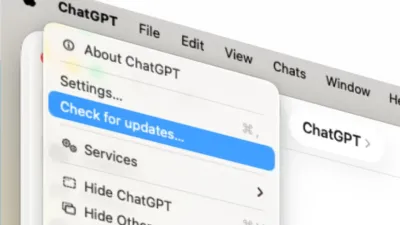
- Ignore Urgent Pop-ups: Never download an update file directly from a web page alert. Always check for updates via the official "About Chrome" settings menu.
- Delete Unverified Downloads: If you accidentally clicked the fake alert, immediately delete the downloaded executable before opening it, and run a full system antivirus scan.
The Extension Marketplace Blind Spot
The tactic of buying dead or popular extensions to push malware exposes a critical vulnerability in how tech giants manage their add-on ecosystems. While Google frequently purges malicious tools from the Chrome Web Store, the transition of ownership for existing, trusted extensions often flies under the radar.
Users grant broad permissions to a simple right-click tool, never expecting it to be weaponized months later by a new developer. This incident serves as a stark reminder that browser extensions are not static products; they are active software with continuous access to your browsing data.
Moving forward, users must adopt a minimalist approach to browser add-ons. Treating every installed extension as a potential security liability, rather than a permanent utility, is now a mandatory practice for safe browsing.