The Valve Steam Deck remains the undisputed king of PC gaming handhelds, largely due to its unmatched flexibility and open Linux ecosystem. Whether you are looking to boost performance by streaming from a beefier rig or want to immerse yourself with augmented reality, expanding your handheld's capabilities is surprisingly straightforward.
While alternative Windows-based handhelds like the Asus ROG Ally offer raw power, the SteamOS environment - supported by a massive modding community - makes pairing external hardware seamless. Here are four devices that can instantly elevate your portable gaming experience.
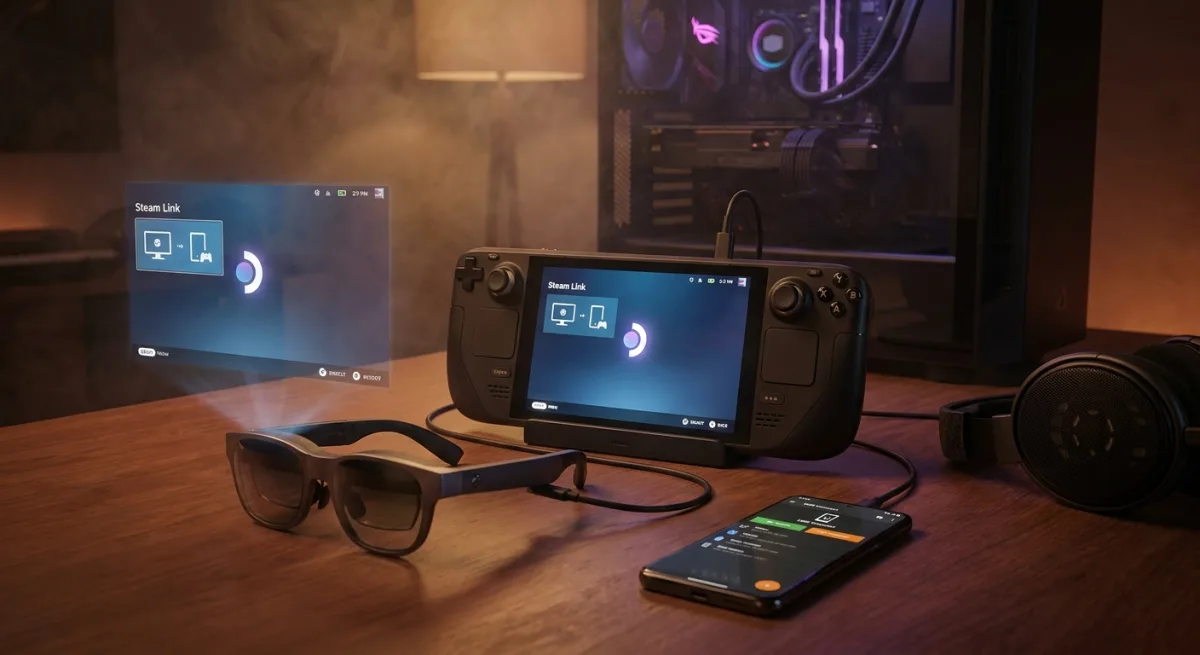
- Your Gaming PC (Remote Play): When the aging hardware of the Steam Deck struggles with modern titles, streaming from your main rig is the perfect solution. You can use the built-in Steam Remote Play, or opt for open-source alternatives like Sunshine and Moonlight for lower latency. This effectively turns your handheld into a premium streaming device similar to the PlayStation Portal, complete with gyroscope and back button support. Note that native High Dynamic Range (HDR) streaming to Linux is still limited, though Sunshine offers workarounds.
- Premium Headphones and Earbuds: Audio is critical for immersion, and the handheld offers multiple connection routes, including Bluetooth, a 3.5mm jack, and direct USB-C audio. If you use Apple AirPods, the community-built Decky Loader software offers a plugin called MagicPods. This integration gives you direct control over active noise cancellation, microphone settings, and battery tracking right from the SteamOS interface.
- Your Smartphone (via KDE Connect): Navigating the powerful KDE desktop mode can be tedious with on-screen controls. By installing the free KDE Connect app on your phone and handheld, you can instantly transform your mobile device into a wireless mouse and keyboard. The app operates over your local network and even allows for seamless file transfers or remote execution of Bash scripts. iOS users should ensure the app remains open to prevent connection drops.
- XR Smart Glasses: Augmented reality (AR) and mixed reality (XR) glasses from brands like XReal, RayNeo, and Viture act as a wearable second monitor, projecting a massive 100-inch virtual screen in front of you. Connecting via USB-C, these glasses often feature built-in speakers and light motion tracking to anchor the display in your field of view. For extended play sessions, it is highly recommended to use a dual USB-C dongle so you can charge the device while playing.
The Power of an Open Ecosystem
The enduring relevance of Valve's handheld proves that raw processing power is only half the battle in the portable gaming market. By embracing an open-source Linux foundation, the community has been empowered to build tools like Decky Loader, bridging compatibility gaps that official updates might miss.
As games become more demanding, the ability to seamlessly pivot to local network streaming or hook into XR wearables ensures the device will not become obsolete anytime soon. For players heavily invested in the PC ecosystem, treating the handheld as a modular hub rather than a standalone console is the smartest way to maximize its lifespan.