Avoiding startup DevOps mistakes is the difference between a successful product launch and a catastrophic data breach. In fast-moving startup environments, the pressure to ship features quickly often forces solo engineers to bypass operational discipline. Without senior oversight, these silent compromises accumulate until they trigger massive cloud bills, unrecoverable data loss, or severe security incidents.
This guide breaks down the ten most expensive infrastructure errors engineers make early in their careers. Whether you are transitioning from backend development to operations or auditing an existing cloud architecture, these actionable fixes will help you align your technical decisions with actual business needs.
1. Deploying Without Understanding the Architecture
Following a tutorial to deploy a Node.js API to AWS Elastic Beanstalk might work initially, but it becomes a liability when traffic spikes. When production breaks and the engineer cannot explain the deployment mechanism, diagnosis takes hours instead of minutes, directly impacting customer trust and revenue.
It is better to spend two hours understanding a system before deploying it than two days debugging it after something breaks.
- The Startup DevOps Field Guide
Before deploying any code to production, you must be able to answer core architectural questions. Follow these validation steps:
- Identify the exact compute type running your code. This ensures you know whether you are managing EC2, Lambda, Fargate, or containers.
- Determine how a new version replaces the old one. This ensures you understand if the deployment is rolling, blue/green, or all-at-once.
- Locate the source of your configuration and secrets. This ensures you know if data comes from AWS Systems Manager (SSM), Secrets Manager, or environment files.
- Map all downstream services that depend on this deployment. This ensures you account for database connections, external APIs, and caching layers.
- Establish a rollback plan. This ensures you can revert the system to a stable state in under five minutes if a failure occurs.
2. Using Production as a Development Environment
Testing a deployment script directly in a production AWS account to save time is a critical error. A single mistaken command can terminate a production database, leading to hours of unrecoverable customer data and permanent reputational damage.
You must maintain at least three separate environments, ideally isolated across different AWS accounts. Using Infrastructure as Code (IaC) like Terraform makes this affordable and consistent.
# terraform/environments/prod/main.tf
module "app" {
  source      = "../../modules/app"
  environment = "production"
  instance_type = "t3.medium"
  db_instance_class = "db.t3.medium"
  multi_az          = true
}
# terraform/environments/staging/main.tf
module "app" {
source = "../../modules/app"
environment = "staging"
instance_type = "t3.small"
db_instance_class = "db.t3.small"
multi_az = false
}3. Hardcoding Secrets and Credentials
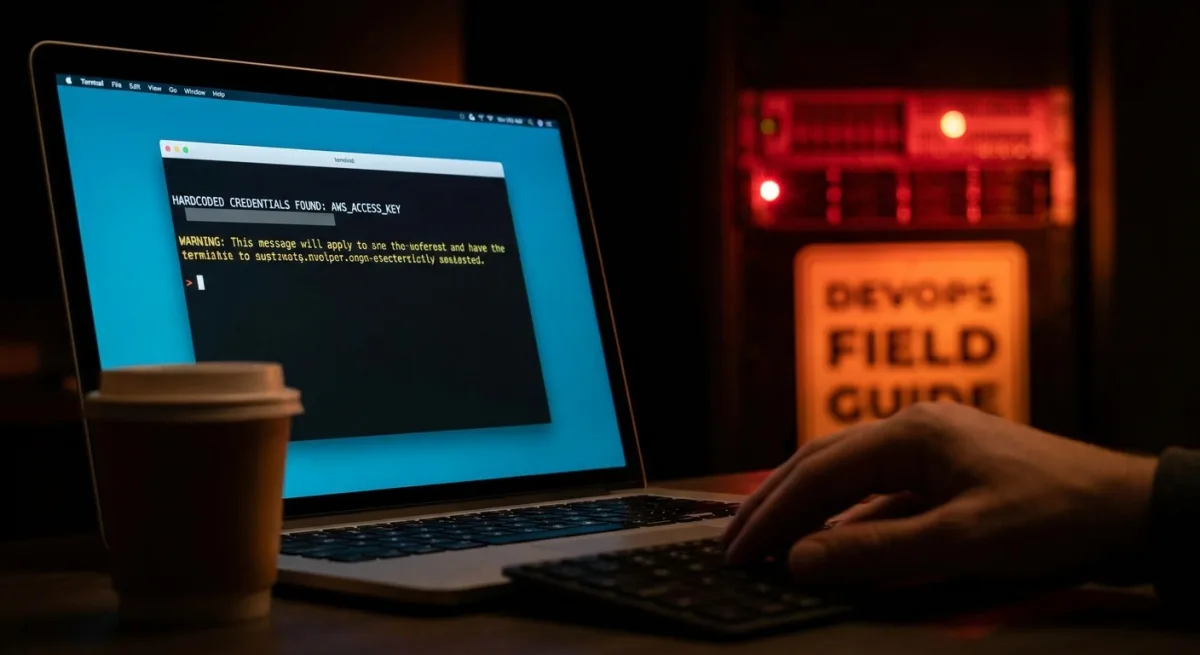
Committing a .env file containing production database passwords, Stripe secret keys, or AWS admin access keys to a public Git repository is a fatal mistake. Automated scanners can find exposed credentials within minutes, leading to crypto-mining workloads that generate massive cloud bills overnight or complete data exfiltration.
- Create a
.gitignorefile before writing any code. This ensures environment files and keys are never accidentally tracked by Git. - Migrate all production secrets to AWS Secrets Manager or SSM Parameter Store. This ensures your application fetches credentials securely at runtime.
- Scan your existing repositories using tools like Trufflehog. This ensures you identify and revoke any historically exposed secrets.
- Install pre-commit hooks to block future leaks. This ensures automated checks run before every commit.
# .gitignore
.env
.env.*
*.pem
*.key
secrets/
# Python example - fetch secret at runtime, never at build time
import boto3
import json
def get_secret(secret_name: str, region: str = "us-east-1") -> dict:
client = boto3.client("secretsmanager", region_name=region)
response = client.get_secret_value(SecretId=secret_name)
return json.loads(response["SecretString"])
# Usage
db_config = get_secret("prod/myapp/database")
DATABASE_URL = db_config["connection_string"]# Install trufflehog to scan for exposed secrets in your repo history
pip install trufflehog
# Scan the entire commit history of your repository
trufflehog git file://.
# Or scan a remote GitHub repo
trufflehog github --repo https://github.com/your-org/your-repopip install pre-commit# .pre-commit-config.yaml
repos:
- repo: https://github.com/awslabs/git-secrets
rev: master
hooks:
- id: git-secrets
- repo: https://github.com/Yelp/detect-secrets
rev: v1.4.0
hooks:
- id: detect-secretspre-commit install
# Now the hook runs before every commit and blocks detected secrets4. Overengineering for Problems You Don't Have Yet
A five-person startup with 200 users does not need a microservices architecture on Kubernetes. Premature complexity drains engineering time and destroys the competitive advantage of speed. Match your infrastructure to your actual growth stage.
| Scale | Right Infrastructure | Cost Range |
|---|---|---|
| 1 - 1,000 users | Single EC2 + RDS + Nginx reverse proxy | $20 - 50/month |
| 1K - 50K users | Auto-scaling group, RDS Multi-AZ, ALB, basic CI/CD | $200-500/month |
| 50K - 500K users | ECS Fargate, RDS read replicas, ElastiCache, full observability | $1K-5K/month |
| 500K+ users | Multi-region, managed Kubernetes, dedicated SRE | $10K+/month |
Always ask what specific, measurable problem a new tool solves today. Use managed services like Amazon RDS or AWS Fargate to let your team focus on the product rather than infrastructure maintenance.
5. Launching Without Observability
If a checkout flow breaks and you only find out via a customer complaint on Twitter, your observability is failing. Without dashboards, log aggregation, and alerting, diagnosing a memory leak or an exhausted database connection pool becomes a guessing game.
Implement Google's four golden signals (Latency, Traffic, Errors, Saturation) before any service goes live. Set up automated alarms and health checks.
# Alert when error rate exceeds 1% for 5 consecutive minutes
aws cloudwatch put-metric-alarm \
  --alarm-name "high-error-rate-production" \
  --alarm-description "Error rate exceeded 1% for 5 minutes" \
  --metric-name "5XXError" \
  --namespace "AWS/ApplicationELB" \
  --statistic "Average" \
  --period 60 \
  --evaluation-periods 5 \
  --threshold 0.01 \
  --comparison-operator "GreaterThanOrEqualToThreshold" \
  --alarm-actions "arn:aws:sns:us-east-1:123456789:pagerduty-production" \
  --dimensions Name=LoadBalancer,Value=app/my-alb/1234567890abcdef
# FastAPI example
from fastapi import FastAPI
from sqlalchemy import text
app = FastAPI()
@app.get("/health")
async def health_check():
# Check database connectivity
try:
db.execute(text("SELECT 1"))
db_status = "healthy"
except Exception:
db_status = "unhealthy"
return {
"status": "healthy" if db_status == "healthy" else "degraded",
"database": db_status,
"version": os.getenv("APP_VERSION", "unknown")
}6. Treating Security as an Afterthought
Delaying security reviews until after launch is a massive risk. Security debt leads to sudden, catastrophic events like ransomware attacks or regulatory fines. Apply these essential security controls immediately.
- Enforce the Principle of Least Privilege for all IAM roles. This ensures a compromised service only exposes the specific resources it explicitly needs.
- Block all S3 public access by default at the account level. This ensures no bucket can accidentally expose customer data to the internet.
- Replace open SSH ports with AWS Systems Manager Session Manager. This ensures you have secure shell access without exposing port 22 to brute-force attacks.
- Require Multi-Factor Authentication (MFA) for all IAM users. This ensures stolen credentials cannot be used without a secondary verification step.
- Activate AWS CloudTrail across all regions. This ensures every API call is permanently recorded for audit and investigation purposes.
- Deploy AWS Security Hub from day one. This ensures your environment is continuously scanned against industry-standard security frameworks.
{
  "Version": "2012-10-17",
  "Statement": [
    {
      "Effect": "Allow",
      "Action": [
        "s3:GetObject",
        "s3:PutObject"
      ],
      "Resource": "arn:aws:s3:::my-app-uploads/*"
    }
  ]
}
aws s3api put-public-access-block \
--bucket my-app-bucket \
--public-access-block-configuration \
"BlockPublicAcls=true,IgnorePublicAcls=true,BlockPublicPolicy=true,RestrictPublicBuckets=true"# Start a session on an EC2 instance without port 22 open
aws ssm start-session --target i-0123456789abcdef0aws cloudtrail create-trail \
--name production-audit-trail \
--s3-bucket-name my-cloudtrail-logs \
--is-multi-region-trail \
--enable-log-file-validationaws securityhub enable-security-hubFor enforcing MFA, refer to the Complete Deny Without MFA Policy documentation provided by AWS.
7. Relying on Manual Deployments in Production
Manual deployment processes documented in outdated Notion pages are inherently unreliable. Humans under pressure skip steps, leading to missing dependencies and application crashes. If a deployment step is performed manually more than twice, it must be automated.
# .github/workflows/deploy.yml
name: Deploy to Production

on:
  push:
    branches:
      - main

permissions:
  id-token: write   # Required for OIDC authentication with AWS
  contents: read

jobs:
  deploy:
    runs-on: ubuntu-latest
    environment: production

    steps:
      - name: Checkout code
        uses: actions/checkout@v4

      - name: Configure AWS credentials via OIDC
        uses: aws-actions/configure-aws-credentials@v4
        with:
          role-to-assume: ${{ secrets.AWS_DEPLOY_ROLE_ARN }}
          aws-region: us-east-1

      - name: Login to Amazon ECR
        id: login-ecr
        uses: aws-actions/amazon-ecr-login@v2

      - name: Build and push Docker image
        id: build
        env:
          ECR_REGISTRY: ${{ steps.login-ecr.outputs.registry }}
          IMAGE_TAG: ${{ github.sha }}
        run: |
          docker build -t $ECR_REGISTRY/my-app:$IMAGE_TAG .
          docker push $ECR_REGISTRY/my-app:$IMAGE_TAG
          echo "image=$ECR_REGISTRY/my-app:$IMAGE_TAG" >> $GITHUB_OUTPUT

      - name: Deploy to Amazon ECS
        uses: aws-actions/amazon-ecs-deploy-task-definition@v1
        with:
          task-definition: task-definition.json
          service: my-app-service
          cluster: production
          wait-for-service-stability: true
8. Operating Without a Disaster Recovery Plan
Infrastructure will eventually fail. Running a production database on a single RDS instance without a Multi-AZ configuration guarantees data loss when an EBS volume crashes. You must define your Recovery Time Objective (RTO) and Recovery Point Objective (RPO) immediately.
# Terraform
resource "aws_db_instance" "production" {
  identifier        = "prod-postgres"
  engine            = "postgres"
  engine_version    = "15.4"
  instance_class    = "db.t3.medium"
  allocated_storage = 100

  # Multi-AZ: automatic failover to standby in a different AZ
  # No data loss. Automatic failover in ~60-120 seconds.
  multi_az = true

  # Encryption at rest  -  non-negotiable
  storage_encrypted = true

  # Automated backups with 7-day retention
  backup_retention_period = 7
  backup_window           = "03:00-04:00"

  # Enable deletion protection in production
  deletion_protection = true

  tags = {
    Environment = "production"
  }
}
# Restore a snapshot to a test instance and verify
aws rds restore-db-instance-from-db-snapshot \
--db-instance-identifier recovery-test \
--db-snapshot-identifier rds:prod-postgres-2025-01-15 \
--db-instance-class db.t3.medium \
--no-multi-az
# Connect and verify row counts
psql -h recovery-test.xxxx.rds.amazonaws.com -U admin -d mydb \
-c "SELECT COUNT(*) FROM users; SELECT COUNT(*) FROM orders;"For official guidance, consult the AWS RDS Backup and Restore documentation.
9. Neglecting Documentation and Runbooks
Undocumented infrastructure creates a single point of failure within your team. When the sole DevOps engineer goes on vacation, incident response grinds to a halt. Infrastructure as Code (IaC) is your primary documentation, but you also need explicit runbooks for operational tasks.
# Runbook: Production Database Connection Exhaustion

## Symptoms
- Application logs: "too many connections" errors
- 500 error rate spike on database-dependent endpoints
- pg_stat_activity shows max connections reached

## Diagnosis
# Check current connection count
psql -h $DB_HOST -U $DB_USER -c "SELECT COUNT(*) FROM pg_stat_activity;"

# See connections by application
psql -h $DB_HOST -U $DB_USER \
  -c "SELECT application_name, COUNT(*) FROM pg_stat_activity GROUP BY 1 ORDER BY 2 DESC;"

## Resolution
1. Identify and restart the service causing the connection leak
2. If immediate relief needed: kill idle connections older than 10 minutes
3. Long-term: review connection pool settings in application config

## Escalation
If unresolved in 30 minutes: page the on-call backend engineer.
10. Solving Technical Problems Without Business Context
Migrating to Kubernetes to fix slow page loads is a massive waste of resources if the root cause is an unoptimized database query. Infrastructure is a tool for delivering business outcomes, not an end in itself. Always profile and measure before rebuilding your architecture.
# Check slow queries in PostgreSQL before any infrastructure changes
psql -h $DB_HOST -U $DB_USER -d $DB_NAME -c "
SELECT
  query,
  calls,
  total_exec_time / calls AS avg_ms,
  rows / calls AS avg_rows
FROM pg_stat_statements
ORDER BY avg_ms DESC
LIMIT 10;
"
The Production Readiness Checklist
Before any production system goes live, ensure you have adopted a systems-thinking framework. Ask yourself what dependencies exist, what the failure modes are, and what a healthy state looks like. Verify your setup against this checklist:
- Infrastructure is defined as code and version-controlled in Git.
- Separate dev, staging, and production environments exist with isolated credentials.
- All production secrets are stored in Secrets Manager, with zero hardcoded keys.
- IAM roles strictly follow the principle of least privilege.
- Every service features a
/healthendpoint for continuous monitoring. - The production database has Multi-AZ enabled, and backup restoration is tested monthly.
The Survival Metric of Operational Discipline
The era of "move fast and break things" is fundamentally incompatible with modern cloud economics. In 2026, as investors heavily scrutinize unit economics and infrastructure costs from day one, operational discipline is no longer just a technical preference - it is a survival metric. Startups can no longer afford the luxury of massive cloud bills caused by over-provisioned Kubernetes clusters or the devastating fallout of a crypto-mining hack due to a leaked .env file.
By implementing Infrastructure as Code (IaC) and automated guardrails early, engineering teams shift their focus from firefighting to actual product development. The upfront cost of setting up AWS Security Hub or configuring a proper CI/CD pipeline is negligible compared to the weeks of engineering time lost recovering from a preventable outage. Ultimately, the goal of DevOps in a startup is not to build the most complex architecture, but to build the most resilient foundation for sustainable growth.