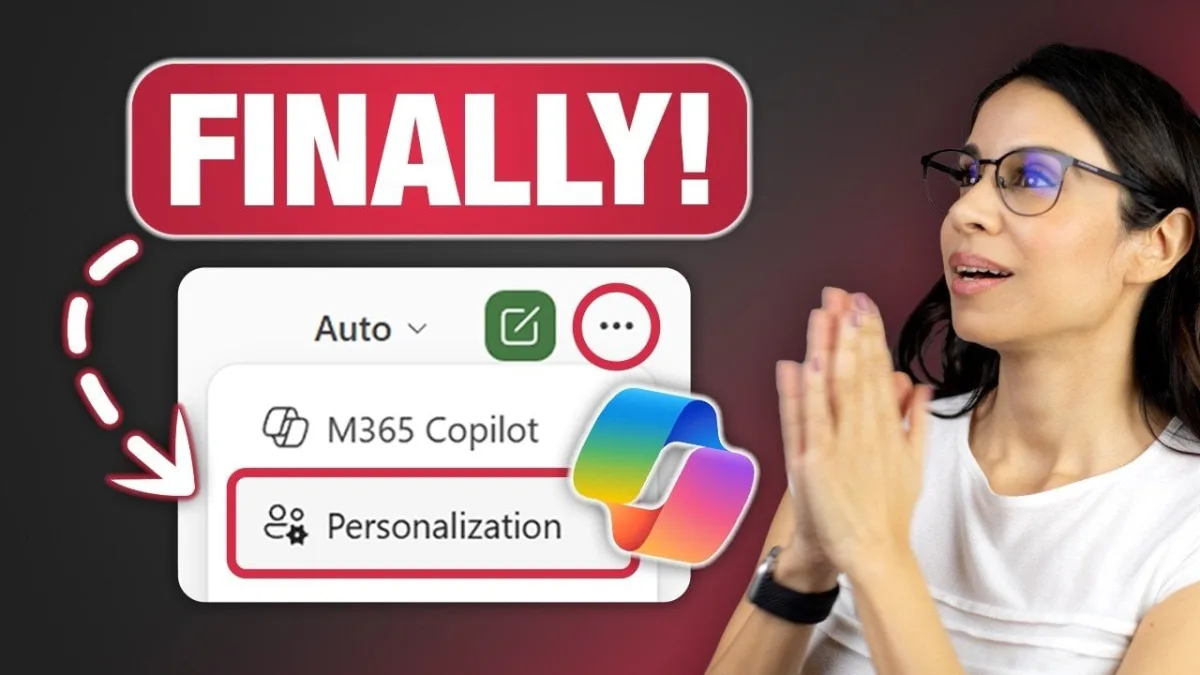
If you spend hours manually fixing date formats or undoing Excel's notorious default cell merging, the latest Excel Copilot update is designed specifically for your workflow. Microsoft is rolling out a major personalization upgrade that allows the AI assistant to learn and automatically apply your preferred formatting rules across all your spreadsheets. This shift transforms Copilot from a generic helper into a customized data analyst that actually understands how you like your reports to look.
Previously, users had to repeatedly instruct Copilot on specific aesthetic choices, slowing down productivity and interrupting deep work. Now, these preferences are tied directly to your Microsoft account, ensuring seamless cross-device consistency whether you are on a desktop, laptop, or tablet. Crucially, Microsoft has engineered this feature so that shared files retain their default formatting, meaning your personal aesthetic will not disrupt collaborative team projects.
How to Customize Your Excel Copilot Update
The personalization options extend far beyond basic color schemes, offering tools to optimize your workflow for clarity and efficiency. By tailoring these settings, you can force the AI to default to your exact corporate or personal standards.
- Date Formats: Set your preferred style, such as DD-MMM-YYYY, to ensure absolute consistency across all generated reports.
- Table Formatting: Customize border styles, header designs, and gridline visibility to match your functional needs.
- Tool Alternatives: Replace frustrating default tools, such as swapping "Merge & Center" with the vastly superior "Center Across Selection" for cleaner layout design.
- Formulas & Analysis: Instruct Copilot to use modern functions like XLOOKUP and SUMIFS, and always include both absolute and percentage changes in data analysis.
- Visualizations: Simplify charts automatically, such as limiting pie charts to three or fewer categories for better focus.
- Number Formatting: Highlight negative values in red with parentheses, and specify currency symbols and decimal places for financial precision.
Current Limitations and Cross-Device Syncing
While the cross-device syncing saves significant time, early adopters have noted some growing pains with the new system. Users have reported occasional inconsistencies when applying predefined table borders or header designs across different devices and workbooks. Certain advanced customization options still require refinement to ensure a flawless user experience.
Microsoft is actively soliciting user feedback to refine these advanced customization options, indicating that the feature will evolve rapidly. As demonstrated by Leila Gharani in her breakdown of the update, user input will be essential in shaping how these AI tools handle complex, real-world spreadsheet challenges.
The End of Repetitive Spreadsheet Formatting
This Excel Copilot update marks a fundamental shift in how professionals interact with spreadsheet software. By allowing users to permanently banish "Merge & Center" in favor of "Center Across Selection," Microsoft is directly addressing one of the most universally despised default behaviors in Excel history. It shows that the Copilot team is actually listening to power users, not just adding flashy generative AI gimmicks.
The real value here is not just aesthetic; it is the compounding time saved by not having to re-format PivotTable headers or adjust currency decimals every single time you generate a report. As Copilot learns these micro-preferences, the barrier to generating publish-ready financial documents drops significantly. For data analysts and accountants, this update turns Copilot from a novelty into a mandatory productivity multiplier.