Running Nvidia GeForce Now on Steam Deck instantly solves the hardware limitations of portable gaming, allowing players to experience path-traced, ultra-settings gameplay without draining the battery or suffering low frame rates. By leveraging cloud-based RTX 5080 servers, Valve's $550 handheld transforms into a powerhouse capable of outperforming native desktop rigs. For players frustrated by the performance ceilings of mobile hardware, this cloud integration effectively bridges the gap between portable convenience and enthusiast-grade fidelity.
The Nvidia GeForce Now Ultimate tier completely outclasses competitors like Xbox Cloud Gaming and Amazon Luna. For $20 a month or $100 for six months, subscribers gain remote access to an RTX 5080 for select modern titles, or an RTX 4080 for games that do not yet support 50-series features. This subscription unlocks advanced rendering technologies, including DLSS 4.0 support, full ray tracing capabilities, and input lag-reducing Nvidia Reflex 2 tech. When paired with a fast fiber optic connection, the service scales dynamically across different displays.
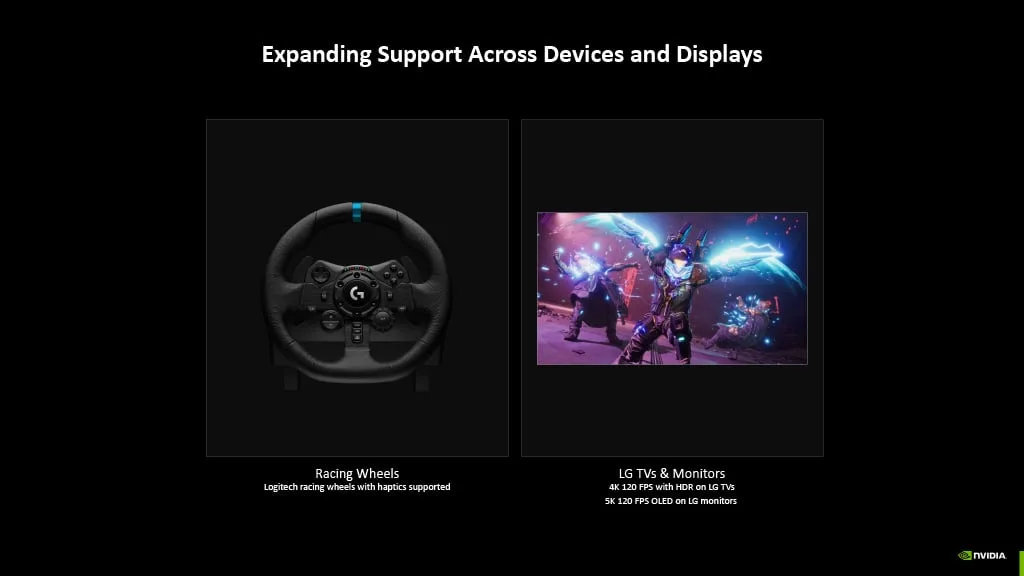
While the Steam Deck OLED features a 7.4-inch, 1280 x 800 panel running at 720p/90Hz, the cloud service can push much higher resolutions on external monitors. With a reliable 45 Mbps internet connection, 4K/120 FPS gaming is entirely feasible. For users with premium displays, the Ultimate tier can generate results up to 5K/120 FPS on a 65 Mbps connection, or 1440p/360 FPS gameplay on a minimum 55 Mbps connection. This flexibility makes it a superior alternative to dedicated Windows handhelds like the Asus ROG Ally or the Nintendo Switch 2.
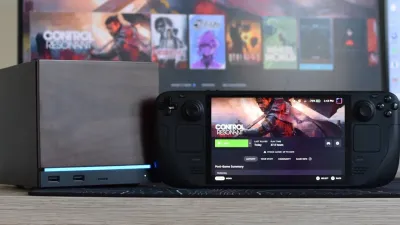
In motion, the visual fidelity achieved on the Linux-based handheld is astonishing. Graphically punishing titles like Cyberpunk 2077, Indiana Jones and the Great Circle, and Resident Evil Requiem run flawlessly at 90 FPS with every graphical setting and path tracing cranked to the maximum. Even with visual presets pushed to PS5 Pro-shaming levels, the Ultimate servers maintain a latency of less than 30ms. This responsiveness is further enhanced when Nvidia Multi Frame Generation is set to X4 in supported titles.
How to Install GeForce Now on SteamOS
To access your synced libraries across Steam, Xbox Game Pass, EA, Ubisoft Connect, GOG, and Battle.net, you need to configure the app in Desktop Mode. Connecting your handheld to a compatible dock with a keyboard and mouse is recommended for the easiest setup.
- While in your Steam Deck Gaming Mode, hit the Power button, then select Switch to Desktop.
- Open a browser like FireFox or Chrome in Desktop Mode, then download the installer app from the official GeForce Now site.
- Open the Dolphin file manager, then right-click on your Steam Deck’s right touchpad to execute the GeForceNOWSetup.bin file.
- Let the setup process complete, which will automatically add the GeForce Now app to your Steam library.
- Return to the Steam Deck Gaming Mode, navigate to the Non-Steam tab in your Library section, and launch the application.
My Take: The Future of Handheld Cloud Gaming
The integration of GeForce Now Ultimate on the Steam Deck OLED represents a massive paradigm shift for portable gaming. By offloading the computational heavy lifting to a remote RTX 5080, Valve's hardware is freed from its thermal and battery constraints. The $20 monthly fee is a highly strategic investment when compared to spending thousands on a high-end gaming laptop, especially since it delivers sub-30ms latency and 90 FPS path tracing directly to a $550 device.
What makes this setup particularly disruptive is how it neutralizes the primary selling points of competing handhelds. Devices like the Asus ROG Ally push local hardware to its limits, often resulting in severe battery drain and excessive heat. By utilizing Nvidia's cloud infrastructure, the Steam Deck bypasses these physical limitations entirely, offering PS5 Pro-level fidelity in a palm-friendly form factor. As long as users have access to a stable 45 Mbps connection, local processing power is rapidly becoming a secondary concern.
Furthermore, the inclusion of DLSS 4.0 and Nvidia Multi Frame Generation X4 ensures that the cloud experience feels virtually indistinguishable from native rendering. The ability to sync massive libraries from storefronts like GOG, Battle.net, and Xbox Game Pass means players are not locked into a single ecosystem. Nvidia has successfully proven that with the right network conditions, the ultimate PC gaming experience no longer requires a massive desktop tower.
This article was written by AI from reporting by makeuseof.com.