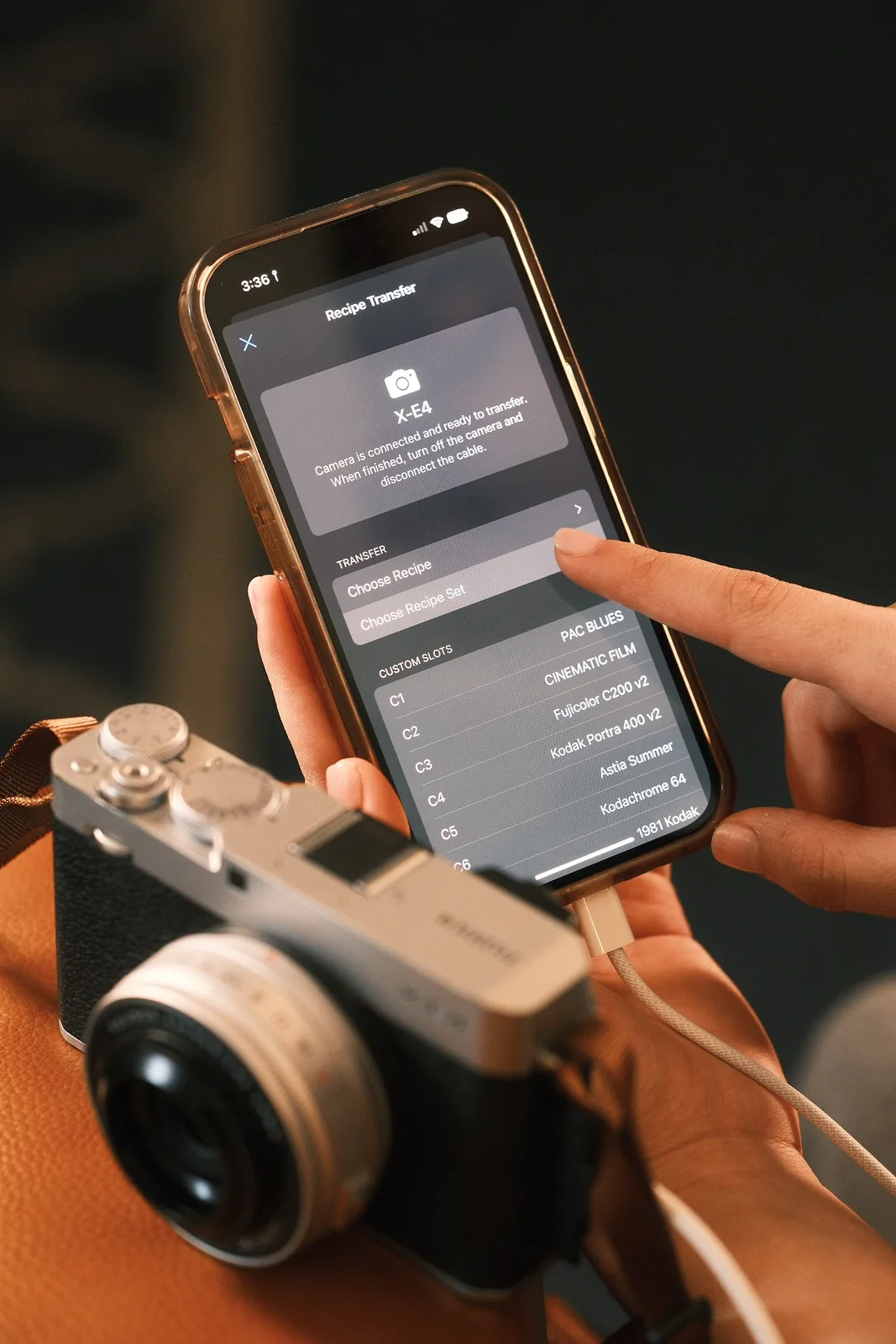
The latest update for the Fuji X Weekly App resolves critical bugs in the newly introduced App-to-Camera Recipe Transfer Protocol (ATC RTP), ensuring that Film Simulation recipes sync correctly via a USB-C cable. While the direct transfer feature is currently exclusive to Apple devices, the developer confirmed that Android support is actively in the works and expected to launch within the next few months.
This second patch since the feature's debut addresses two specific transfer errors that frustrated early adopters. Previously, recipes utilizing the DR-Auto setting were incorrectly transferring to cameras as DR100. Additionally, users applying recipes with Grain turned off were receiving false error messages stating the parameter could not be set, even when the camera had successfully applied the change. Both issues have been fully patched in the current version.
Hardware Workarounds and Compatibility
For Apple users operating older devices equipped with Lightning ports rather than USB-C, the native ATC RTP feature does not work out of the box. However, community reports indicate that utilizing a standard Lightning-to-USB-C adapter successfully bridges the connection, allowing older iPhones to push recipes directly to Fujifilm cameras.
The app also includes built-in safeguards to prevent users from applying incompatible settings to their specific camera bodies. If a user attempts to send a recipe featuring a Film Simulation that their camera lacks - such as pushing a Nostalgic Negative recipe to an older X-Trans IV sensor - the transfer will be blocked. For cross-generation recipes, the app will issue a warning that the colors may render differently. If a camera is missing specific granular settings, like the 0.5 Highlight adjustments on the X100V, the app will transfer the recipe but flag an error detailing exactly which parameters were skipped.
How to Fix the "No Camera Connected" Error on iPhone 16
A rare but persistent bug has emerged, primarily affecting users on the iPhone 16, where the app repeatedly displays a "No camera connected" message despite a secure USB-C physical connection. This is tied to a glitch in iOS file permissions rather than the app itself.
To resolve this connection block, follow these steps:
- Open the Settings app on your iPhone and navigate to Privacy & Security.
- Scroll down and select Files & Folders.
- Locate the Fuji X Weekly App in the list.
- If the app appears twice, toggle the switches Off and On until only one instance of the app remains visible.
- Ensure the single remaining toggle is set to On (green).
Once the duplicate folder permission is cleared, the app will successfully recognize the connected Fujifilm camera.
Instagram Reinstates Account After False Flag
Beyond software bugs, the rollout of the ATC RTP feature was temporarily overshadowed by social media moderation issues. Instagram abruptly removed the original post announcing the USB-C transfer feature, citing a violation of community standards, and placed restrictions on the Fuji X Weekly account. Following an appeal, the platform reinstated the post and lifted the restrictions a few days later, though no explanation was provided for the initial takedown.
The Power of Indie Development in the Camera Ecosystem
The rapid iteration of the App-to-Camera Recipe Transfer Protocol highlights a fascinating shift in the digital photography landscape: independent developers are successfully building the seamless connectivity tools that major camera manufacturers have historically struggled to perfect. While official companion apps are often criticized for clunky interfaces and unreliable Bluetooth pairing, a solo developer has managed to implement a direct, wired protocol that fundamentally changes how Fujifilm shooters interact with their hardware.
By bypassing wireless instability in favor of a hardwired USB-C connection, the Fuji X Weekly App is prioritizing reliability over wireless novelty. Furthermore, the app's ability to intelligently filter recipes based on sensor generation and warn users about missing parameters (like the 0.5 shadow adjustments) shows a deep understanding of the fragmented Fujifilm ecosystem. As this feature makes its way to Android, it will likely cement the app not just as a recipe database, but as an essential piece of utility software for any Fujifilm photographer.
This article was written by AI from reporting by fujixweekly.com.