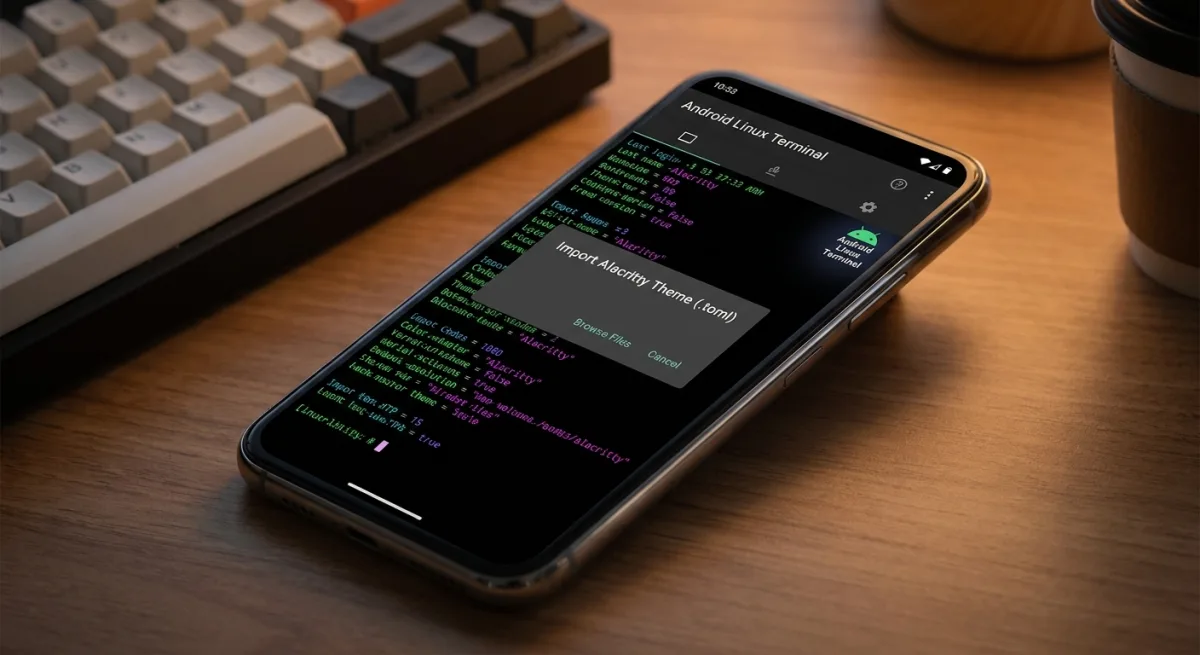
Developers and power users running the Android Linux Terminal app can finally ditch the default color schemes. With the release of Android 17 QPR1 Beta 1, Google has officially introduced custom theme support, allowing users to import Alacritty configuration files directly into the terminal environment. This update builds upon recent Canary releases that brought a modernized user interface to the application.
The latest beta introduces a dedicated Theme menu within the Terminal settings. While the app provides a few basic light and dark themes by default, the real upgrade lies in its external file support. Users will now see a "Download more themes" option at the bottom of the menu, which explicitly notes compatibility with the Alacritty (.toml) format.
How to Install Custom Themes in the Terminal
Google has streamlined the process of importing external color schemes, making it accessible directly from the device. Follow these steps to customize your workspace:
- Open the Terminal settings and navigate to the new Theme menu.
- Tap the Download more themes option, which will automatically open terminalcolors.com in your system browser.
- Browse the available options and download your preferred theme in the Alacritty (.toml) format.
- Open the downloaded file using any file manager on your phone. The system will automatically import the theme into the Terminal app's list.
It is important to note that these imported themes only alter the elements rendered within the active terminal area. The application's top header remains unchanged regardless of the selected color scheme. If an imported theme does not meet your expectations, you can easily remove it by pressing the delete icon next to its name in the theme list.
Bridging the Gap for Mobile Developers
This update signals that Google is taking the Android Linux Terminal app seriously, transitioning it from a barebones experiment into a genuinely viable tool for developers. By adopting the widely used Alacritty format, Google is tapping into an existing ecosystem of developer resources rather than forcing users to rely on a proprietary theming engine.
Allowing direct file imports via the system browser and file manager also demonstrates a commitment to a frictionless user experience. As Android continues to blur the lines between mobile operating systems and desktop-class productivity environments, robust terminal customization is a small but critical step toward making on-the-go coding a practical reality.