Apple is fundamentally changing how users interact with the stock Camera app in iOS 27, moving advanced AI features directly into the viewfinder and streamlining settings. The update introduces a dedicated Siri mode for Visual Intelligence and a powerful new RAW 9 processing pipeline. For everyday iPhone users and mobile photographers, this update eliminates the friction of digging through the main settings menu, while positioning Apple's AI as a direct, accessible competitor to Google Lens.
Redesigned Controls and Settings Migration
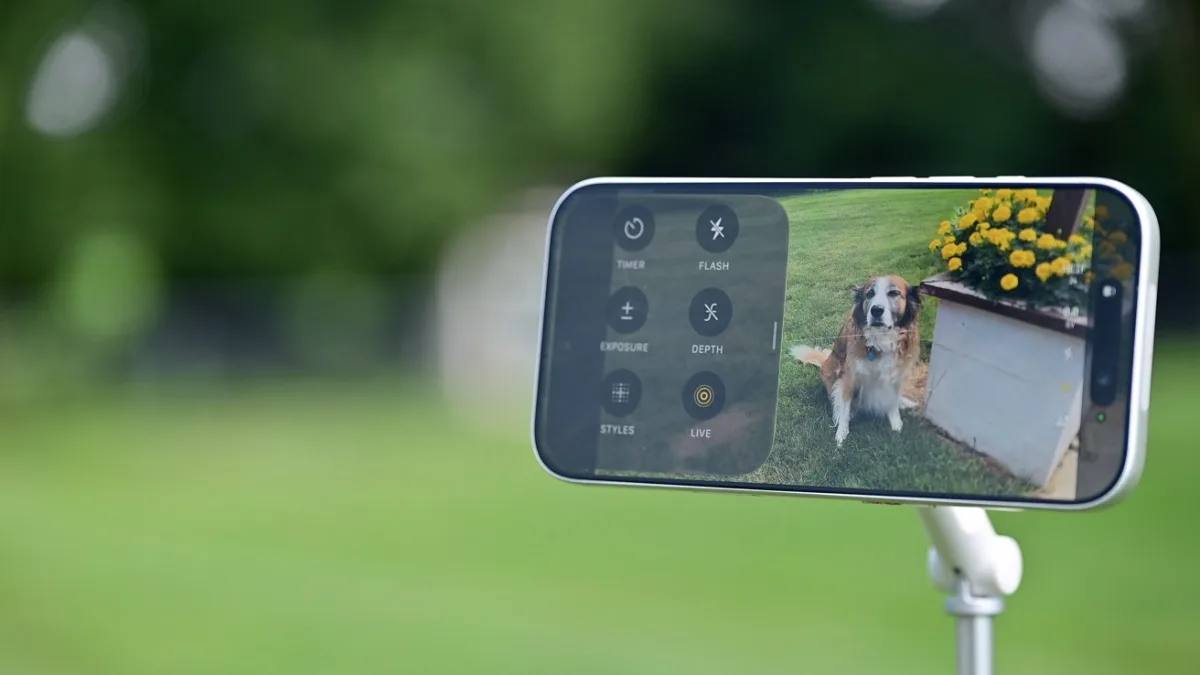
The general layout of the Camera app remains familiar, but the top-heavy settings menu is gone. Instead, a new grid icon sits just to the right of the shutter button. Tapping this opens a dynamic popover at the bottom of the screen containing all in-app controls, which adapt automatically based on whether you are shooting video or photos.
Crucially, Apple has removed several camera configurations, such as resolution, from the main iOS Settings app. This forces users to make these adjustments directly within the Camera interface, simplifying the process but requiring a slight learning curve for long-time iPhone owners.
How to Use the Dedicated Siri Mode
The most significant addition is the new Siri mode, which bakes Visual Intelligence directly into the camera interface. Previously hidden behind a button press, this AI tool can now translate text, identify plants, calculate calories, and scan event invitations. Here is how to access and use the new features:
- Swipe Navigation: From the main photo screen, swipe right to instantly enter Siri mode (swiping left still accesses Video mode).
- Hardware Shortcut: A long-hold of the Camera Control button will now launch the Camera app directly into Siri mode.
- Scan and Analyze: Point the camera at an object - such as a container of raspberries or an unknown plant - and let the AI process the visual data to provide context or perform tasks like adding a scanned wedding invite to your calendar.
RAW 9 Processing and Anti-AI Authentication
For professional shooters, Apple is introducing RAW 9. This updated processing pipeline leverages a new CoreML model running entirely on the on-device Apple Neural Engine. By combining demosaic and denoise processes, RAW 9 delivers significantly better color separation and noise reduction compared to the already excellent RAW 8.
Additionally, code discovered in the fifth developer beta of iOS 27 reveals a new Reference Image setting. Designed to combat the rise of generative AI, this user-enabled feature uses unique camera hardware data to authenticate that an image is real. The verification process relies on Apple's Private Cloud Compute architecture, ensuring that metadata is processed securely without ever being saved.
The Hardware Paywall Behind the Missing Redesign
While the iOS 27 Camera app brings welcome AI integration, the absence of the heavily rumored, fully customizable layout is a glaring omission. Apple previewed a modest design change at WWDC, but the underlying architecture suggests the company is holding back. By keeping the interface relatively static for current devices, Apple is likely reserving the radical UI overhaul as a flagship selling point for the upcoming iPhone 18 Pro and iPhone 18 Pro Max.
This strategy mirrors how Apple has historically gated advanced camera features - like ProRAW or specific focal lengths - behind new hardware. For users wanting a truly customizable shooting experience today, third-party apps like Halide remain the only viable option until the iPhone 18 lineup drops.