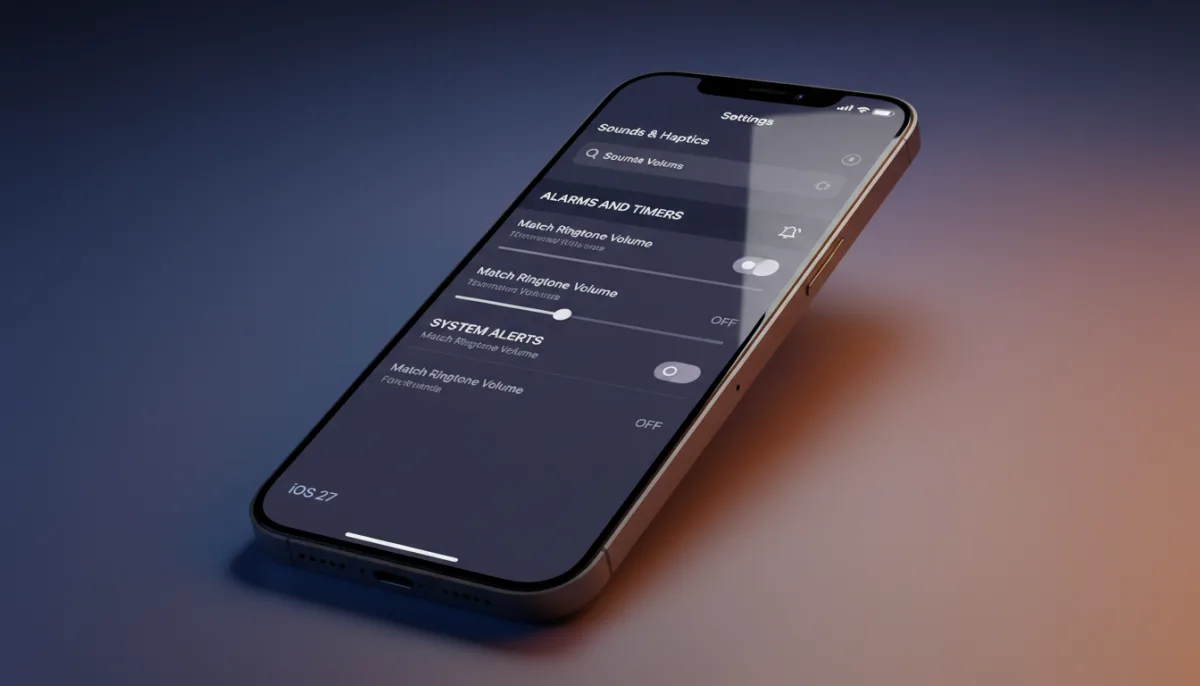
For nearly two decades, silencing your iPhone for the night meant risking a missed morning alarm because the ringer and alarm volumes were permanently linked. Apple is finally fixing this long-standing frustration in iOS 27 by introducing dedicated volume sliders that decouple your wake-up calls from your daily notifications. The update introduces a brand-new "Alarms and Timers" section within the system settings, allowing users to drop their ringer volume to zero while keeping their morning alarms at maximum volume.
Previously, the only native workaround to achieve a separate wake-up volume was to rely strictly on the Sleep schedule feature in the Health app, which locked users into a rigid routine. Now, any standard alarm or timer can operate independently of how loud or quiet the main device ringer is set. It is important to note that alarms already carrying their own volume control - such as those configured within your active Sleep schedule - will continue to respect their individually assigned levels.
How to Set a Separate Alarm Volume in iOS 27
To take advantage of the new granular audio controls, you will need to disable the legacy volume-matching behavior. Here is how to configure it:
- Open Settings on your iPhone.
- Tap Sounds & Haptics.
- Under the "Alarms and Timers" section, toggle off Match Ringtone Volume.
- Drag the newly revealed slider to set your preferred alarm and timer volume.
If you ever want to revert to the classic behavior where the physical volume buttons control everything simultaneously, simply toggle the setting back on.
Independent Controls for System Alerts
Apple is taking this audio overhaul a step further by applying the same logic to system sounds. Directly below the alarms section, iOS 27 includes a second Match Ringtone Volume switch dedicated entirely to alerts and system sounds. Disabling this toggle reveals another independent slider specifically for incoming text messages, keyboard clicks, and standard system notifications.
This secondary toggle is a highly requested fix for users who want to hear their phone ring loudly from across the room, but do not want deafening keyboard clicks while typing a message. The iOS 27 update is currently available in public beta and is slated for a general release this September.
The End of Rigid Audio Profiles
This decoupling of audio channels is arguably one of the most impactful quality-of-life upgrades in iOS 27. While Apple's marketing heavily focuses on generative AI and context-aware Siri improvements, it is these fundamental UX refinements that directly impact daily usability. For years, Android has offered granular volume sliders for media, calls, alarms, and system sounds right from the physical volume rocker. Apple's historical insistence on a unified volume profile often forced users into awkward workarounds or third-party alarm apps.
By finally breaking the link between the ringer and the alarm, Apple is acknowledging that modern smartphone usage requires flexibility. The addition of the system alerts slider further proves that the company is willing to abandon legacy design philosophies in favor of practical customization. As iOS 27 approaches its final September release, this quiet settings tweak will likely save countless users from oversleeping.
This article was written by AI from reporting by macrumors.com.