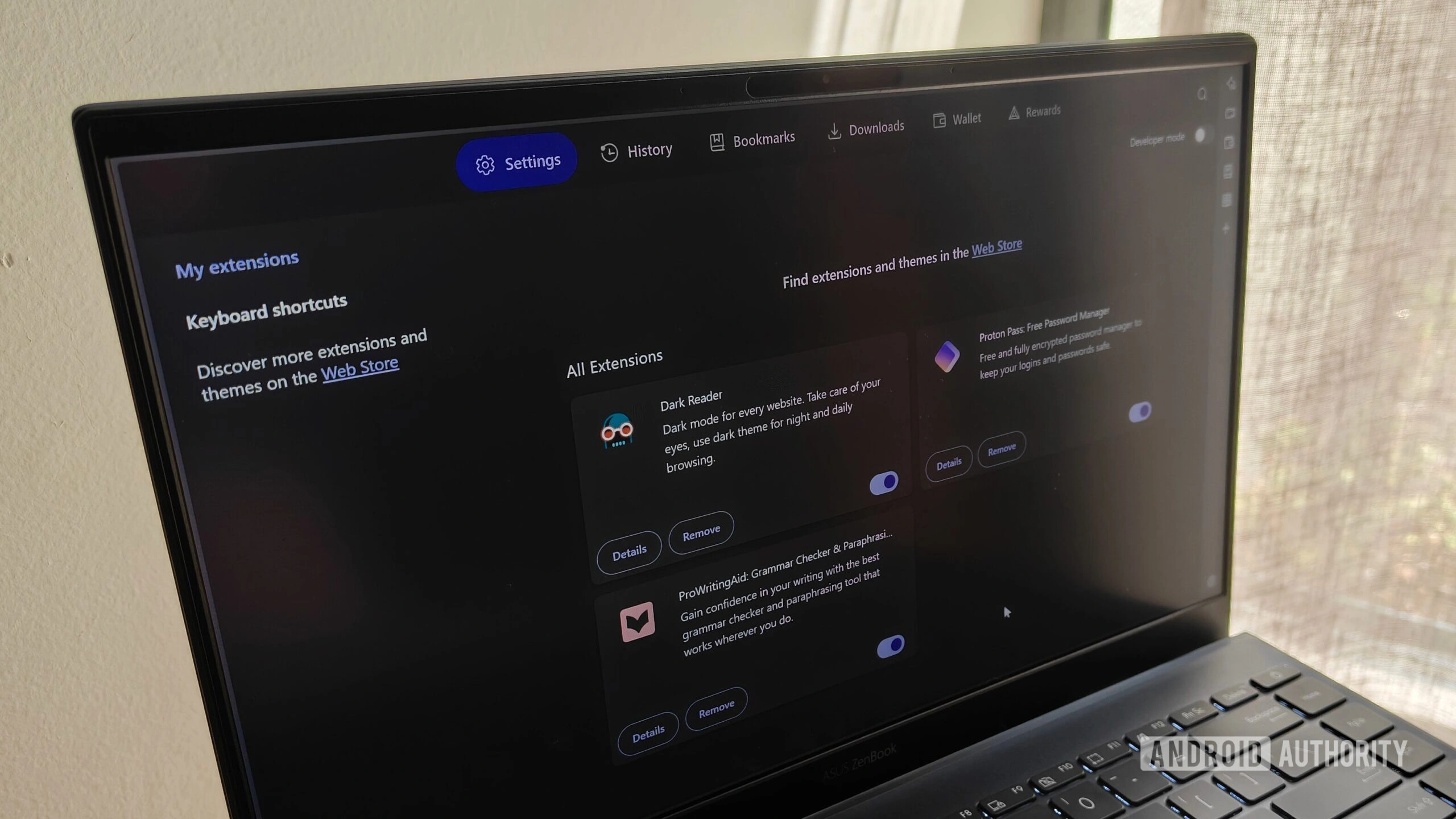
Why Limit Browser Extensions?
Browser extensions enhance functionality but often slow performance and expose privacy risks. Trimming to essentials preserves speed and safety, as one expert notes after rigorous pruning. Fewer extensions mean less code running in the background, reducing memory usage and potential vulnerabilities. This matters because modern browsers like Chrome and Firefox face constant threats from malicious add-ons that hijack sessions or steal data.
In a realistic scenario, a freelance writer juggling multiple clients switches tabs across research sites, login portals, and drafts. Overloaded with 20+ extensions, their browser lags during deadlines. After auditing and keeping only four, load times drop 30%, and focus sharpensmirroring user experiences shared in privacy guides.
1. Proton Pass: Password Security Master
Proton Pass stands out for end-to-end encryption and zero-knowledge architecture, ensuring the company cannot access stored credentials. It autofills logins, generates unique passwords, and supports cross-browser syncideal for users hopping between Brave, Firefox, and Chrome. Unlike alternatives like Bitwarden, Proton's clean interface minimizes friction, aligning with FIDO Alliance standards for phishing resistance.
Why this matters: Weak passwords fuel 80% of breaches; a dedicated manager like Proton Pass enforces strong ones effortlessly. Forward-looking, as browsers tighten extension APIs in 2026, Proton's privacy focus positions it for seamless updates.
2. Raindrop.io: Bookmark and Research Hub
Raindrop.io organizes bookmarks intelligently, taming research sprawl with smart tagging and search. It captures articles, notes, and links without cluttering the toolbar, proving vital for knowledge workers.
Practical use shines when browsing news across tabs: one click saves and categorizes content, preventing loss amid daily chaos. This extension covers organization without the bloat of full note-taking apps.
3. Dark Reader: Eye Comfort Essential
Dark Reader applies dark mode to any site, reducing eye strain during long sessions. Customizable filters ensure readability on bright interfaces, a boon for night owls or high-contrast needs.
Why this matters: Prolonged screen time contributes to digital fatigue; Dark Reader mitigates it instantly. Looking ahead, as OLED displays proliferate in 2026 laptops, such tools will integrate native dark mode gaps.
4. ProWritingAid: Writing Polish Tool
ProWritingAid scans drafts for style, grammar, and clarity, elevating content quality. It suggests improvements in real-time, perfect for bloggers or professionals drafting emails and reports.
In practice, a marketer refines a campaign pitch mid-edit, catching repetitive phrases before publish. This human-centric boost saves hours of proofreading, fostering confident communication.
Setup Tips for Optimal Performance
- Audit quarterly: Remove unused extensions to maintain speed.
- Limit permissions: Use 'on-click' or site-specific access.
- Separate profiles: Isolate work and personal browsing.
- Monitor updates: Browser API changes can break extensions overnight.
These practices extend to secure browsers like Brave (97% tracker blocking) or Firefox (extensive add-ons). While Brave offers built-in shields, extensions fill gaps in customization.
The Bigger Picture: Privacy in 2026
Browser security evolves amid rising threats. Tools like LayerX govern data flows, blocking risky extensions enterprise-wide. For individuals, these four strike a balance: Proton Pass secures logins, Raindrop.io organizes, Dark Reader comforts eyes, and ProWritingAid refines output.
Why this matters collectively: With trackers everywhere, selective extensions empower users without sacrificing utility. A forward implication? As AI-driven browsers emerge, privacy-first extensions like these will define trusted ecosystems, urging quarterly audits as standard practice.
Users report tangible wins: faster browsing, fewer headaches, stronger security. One developer, managing code repos across browsers, credits Proton Pass for seamless credential handling during late-night pushesproving these tools adapt to real workflows.
This article was written by AI from reporting by androidauthority.com.