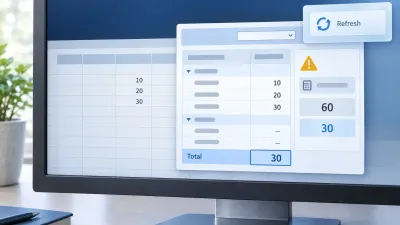
Data analysts and financial modelers who rely on R for heavy lifting often face a frustrating bottleneck: their clients live entirely in Excel. The Basic Excel R Toolkit (BERT) has long been the bridge between these two worlds, allowing users to call R functions directly from spreadsheet cells. However, since its original developer stepped away in 2018, modern R updates have quietly broken its core features.
A massive new community-driven update has finally resurrected the toolkit, bringing full compatibility for R 4.6 and fixing the notorious Excel freezing bugs that plagued recent versions. This update is critical for data scientists and quantitative analysts who need to deploy R models directly into spreadsheet cells without forcing clients to learn new software.
By upgrading to the latest fork, users can restore broken graphics devices, eliminate calculation lockups, and leverage modern R features directly within 64-bit Excel environments. As R evolved from version 3.4 to 4.6, structural changes to its graphics engine and C-level APIs caused legacy add-ins to fail silently or crash. This update not only modernizes the codebase but introduces a robust CI/CD pipeline to ensure future R releases do not break the bridge again.
The Architecture of the R 4.6 Upgrade
Getting the BERT controller to communicate with current R versions required navigating several low-level API changes. BERT operates by running a separate process - the controller - which loads the dynamic link libraries (DLLs) of R and communicates with the Excel add-in over a pipe. This controller is where most of the version sensitivity resides.
The first major hurdle appeared in R 4.3, which introduced a C99 _Complex member to the Rcomplex struct. Because the Microsoft Visual C++ (MSVC) compiler refuses to compile this addition, the build process had to be modified. The developers defined R_LEGACY_RCOMPLEX to force the compiler to use the older, compatible memory layout.
The second challenge was runtime version detection. Because there is no single R version to build against, the controller now actively checks the R version it is handed at runtime. If the version falls outside the supported range, it alerts the user immediately rather than failing silently. For R 4.6 specifically, the update required replacing the deprecated Rf_isFrame function with Rf_inherits(sexp, "data.frame"), which performs the exact same job and has been a stable API since before R 3.5.
Solving the Graphics API Mismatch
One of the most persistent issues with legacy BERT installations was the failure of the R graphics device, which allows R plots to be drawn directly into Excel cells. R actively checks a module's graphics engine version whenever a device is created. Because this version changes across major releases - R 4.2 uses R_GE_group, R 4.5 uses R_GE_glyphs, and R 4.6 uses R_GE_fontVar - a module built for one series will instantly crash on another with a "Graphics API version mismatch" error.
To solve this, the new installation package ships multiple versions of the BERTModule. The installer includes one compiled module per R series, neatly organized in subdirectories. When Excel launches, the startup.R script dynamically detects the host R version and loads the exact matching module.
Because all six modules combined take up only about 3 MB of space, there is no need for users to select their R version during installation. If a user upgrades their R installation later, BERT automatically detects the change and pivots to the correct graphics module without requiring a reinstall.
Fixing the Excel Freeze Race Condition
The most critical bug addressed in this update was a severe lockup issue where calling any R function that interacted back with Excel would freeze the spreadsheet entirely. The application would display "Calculating (64 Threads)" and hang indefinitely, while the R controller sat completely idle.
This freeze was caused by a race condition in how callbacks were handled. When R calls back into Excel, the request arrives on a separate thread. If the call originated from the BERT console, Excel is idle and can process it via COM. However, if the call came from a spreadsheet cell, Excel's main thread is already blocked waiting for the formula to return, meaning the callback must be routed directly to that blocked thread.
The legacy code attempted to distinguish between these two states by checking if an event was signaled, but it relied on a flawed Sleep(1000) timer. Because R's callback arrives in roughly one millisecond, the flag still incorrectly indicated a "console call" for the first full second. The callback was routed to an Excel instance that was mid-calculation, causing both processes to wait on each other forever. The fix removes the timing guesswork entirely; the add-in now records Excel's main thread ID at startup to definitively route callbacks.
Modernizing the Console and Build Environment
Beyond the core calculation engine, the BERT console itself received a massive modernization. The console is built on Electron, but the legacy version was stuck on Electron 1.8 from 2017. The new release upgrades the environment to Electron 44, bringing it in line with modern Chromium security standards and updating the Monaco editor and TypeScript integrations.
This massive version jump broke the clipboard functionality, as Chromium had long since dropped support for execCommand. The developers had to manually implement and bind cut, copy, paste, and select-all actions to ensure the console remained usable for writing code.
Additionally, a severe performance bug was patched in the autocomplete system. Previously, requesting completion on a token that matched thousands of symbols would hang the console. The data payload exceeded a single 64k pipe read, causing split frames to be silently dropped. The reading code has been rewritten to properly assemble multi-part messages, dropping autocomplete times to just 28 milliseconds even with 5,000 objects defined.
How to Add Self-Documenting Functions
One of the most powerful new features in this update is the ability to make your R functions self-documenting within Excel. Previously, custom R functions appeared as blank formulas. Now, you can attach descriptions that populate Excel's native Function Arguments dialog.
To enable this, you simply need to assign a description attribute to your exported R function. The first element describes the function itself, while subsequent elements describe the arguments in order. You can also assign a category attribute to group the function logically.
TestAdd Once saved, BERT automatically re-reads the file and registers the metadata. To get the inline grey tooltip that follows your typing in the formula bar, the update integrates with Excel-DNA IntelliSense. BERT now automatically generates the required XML file and ships an empty .xlam file to ensure the IntelliSense add-in detects and displays your custom R documentation.
The Shift in Open-Source Maintenance
The resurrection of BERT highlights a critical vulnerability in enterprise data pipelines: the reliance on solo developers for foundational infrastructure. When the original author stepped away, a highly valuable tool slowly decayed due to minor API shifts in R and Excel. The fact that a single hand-edited header file on one developer's local machine prevented anyone else from compiling the project for years is a stark reminder of the fragility of local-build workflows.
By moving the compilation process to GitHub Actions runners, this fork ensures that the project is no longer tied to a single desktop environment. This shift to automated CI/CD pipelines is not just a convenience; it is a survival mechanism for open-source bridges. It guarantees that as R continues to evolve toward version 5.0, the Excel integration can be maintained, tested, and deployed by the community without relying on a single point of failure.
This article was written by AI from reporting by r-bloggers.com.