Millions of Android users rely on Google Messages for high-resolution media and encrypted chats, but a silent glitch is downgrading these conversations to outdated SMS. Without any warning, your phone can drop its RCS connection, leaving your texts unencrypted and stripped of modern features. Because the app rarely throws a red flag when this background fallback happens, users are left to spot the subtle visual clues on their own.
How to Tell if Your Messages Dropped to SMS
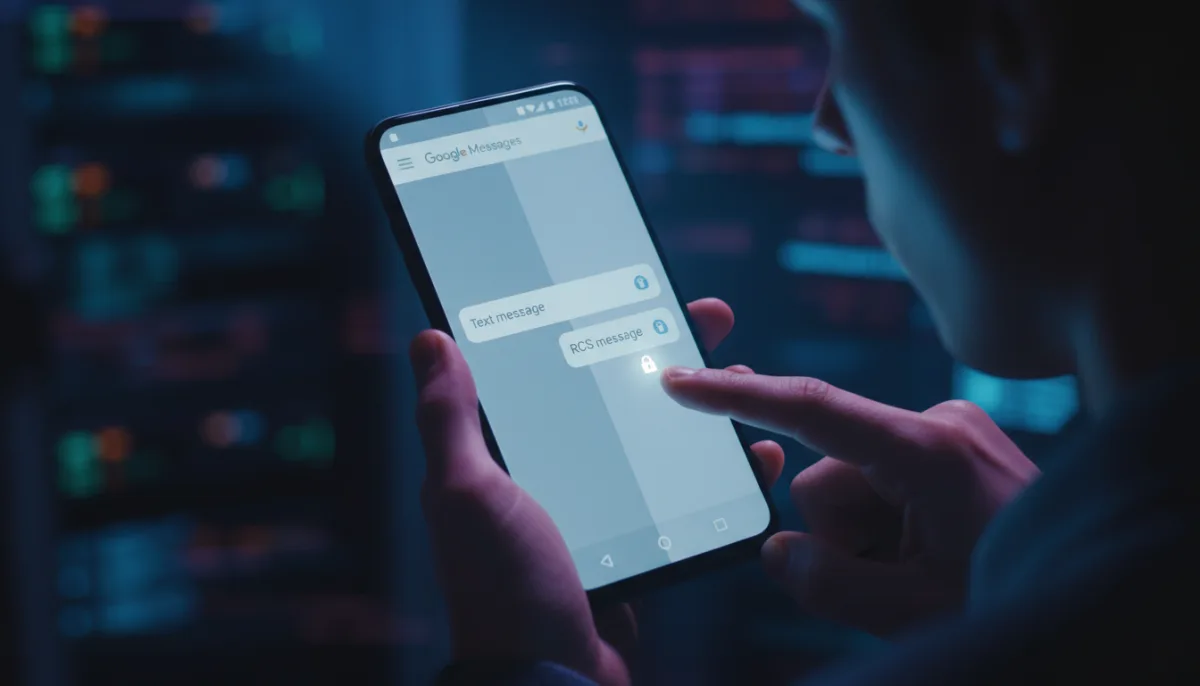
- Check the text box: Before typing a single character, look at the muted placeholder text. This ensures you know your status before sending; if it reads Text message instead of RCS message, your phone has already dropped back to standard cellular texting.
- Look for the padlock: Check the send arrow for a tiny padlock icon. This indicates your message is encrypted; once that lock is gone, your text goes out as basic SMS.
- Verify system status: Tap your profile icon in Google Messages, head into Settings, and open the RCS chats menu. This confirms your device-level connection; if it shows Setting up or Disabled instead of Connected, your phone is stuck in fallback mode.
How to Fix Android RCS Messages and Restore Connection
- Toggle the RCS connection: Open Google Messages, tap your profile icon, select RCS chats, and turn it off. Wait about ten seconds, then turn it back on. This forces a fresh sync between your phone and Google's servers to resolve temporary disconnections.
- Cycle Airplane Mode: Turn Airplane Mode on for a few seconds and switch it back off. This resets your cellular connection, which can clear up minor network routing issues blocking the protocol.
- Clear app cache and storage: Go to Settings, open Apps, and tap See all apps to find Carrier Services. Open its Storage & cache menu and clear the cache, then do the same for Google Messages. This removes corrupted app data that might be blocking your phone from completing the RCS setup. If your status remains stuck, go back and clear the storage completely for Carrier Services.
- Deactivate your number online: If a recent SIM swap or carrier update locked your number into an old session, use Google's online RCS deactivation tool. This completely disconnects your number from their servers, allowing you to trigger a clean, conflict-free registration when you turn RCS back on.
The Hidden Carrier Bottleneck in Cross-Platform Chat
The addition of RCS to iPhones in iOS 18, and the subsequent rollout of cross-platform end-to-end encryption in iOS 26.5, was supposed to end the green-bubble divide. However, the reality of modern texting is that the protocol remains heavily dependent on carrier infrastructure. Even if both devices run the latest software, a carrier that has not fully adopted the updated RCS Universal Profile can silently break the encryption, forcing the conversation back to SMS.
This fragmentation means users cannot blindly trust that their cross-platform chats are secure. Until carriers universally standardize their RCS implementations, Android users must actively monitor their chat windows for the padlock icon. The burden of privacy has shifted from the operating system developers directly onto the users, who must now act as their own network troubleshooters to ensure their data remains protected.