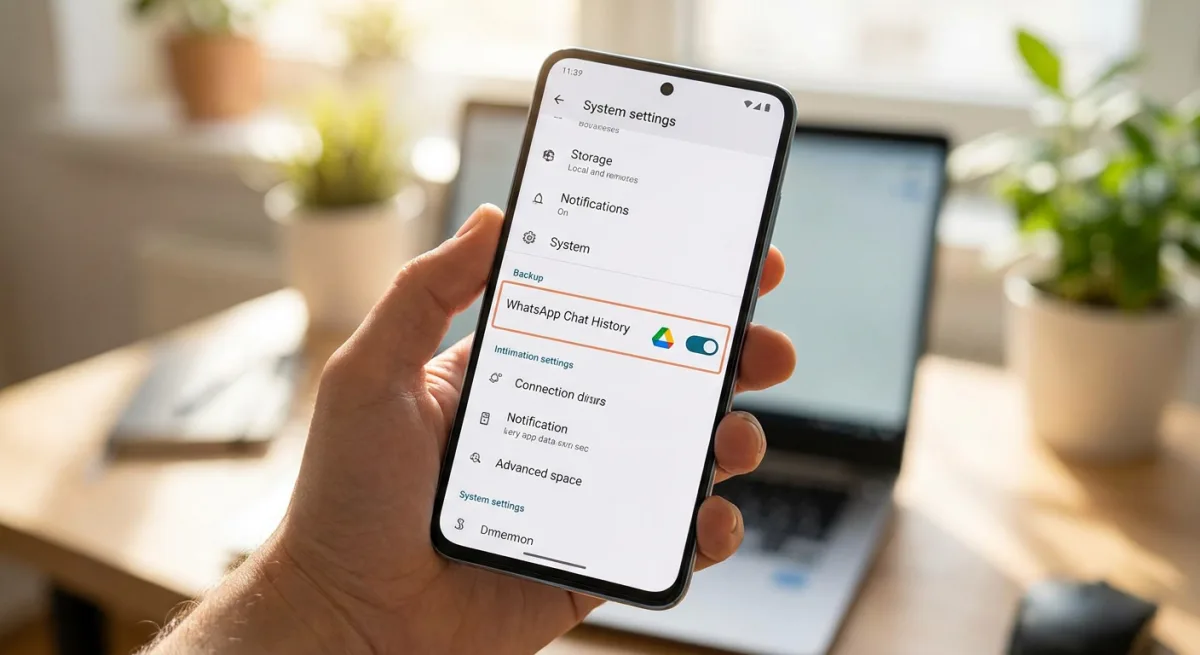
Google is fundamentally changing how Android users handle their chat histories by integrating WhatsApp backup management directly into the core device settings. Rolled out as part of the Google Play services v26.23 update, this shift eliminates the need to dig through the messaging app's internal menus to secure your data. For users who frequently switch devices or manage multiple accounts, this system-level integration offers a much-needed layer of visibility and control over personal data.
Historically, securing your chat logs required navigating deep into WhatsApp's proprietary settings to adjust parameters like backup frequency and network preferences. Now, as detailed in the official update changelog, Google is pulling those controls outward. This transition is rolling out alongside the highly anticipated Android 17 stable release and the June 2026 Pixel Drop, marking a broader push to centralize Android's data management ecosystem.
How to Manage WhatsApp Backups via Android Settings
To take advantage of this new system-level integration, you need to ensure your device is running the latest software. Here is how to find and configure your chat backups directly from your phone's main menu.
- Prerequisite: Ensure your device has received the Google Play services v26.23 update.
- Navigate to your device's main settings menu and select the System category. This ensures you are accessing the core OS controls rather than individual app preferences.
- Tap on Software updates, followed by Google Play system update to force a check for version 26.23. This enables your device to pull the latest background services required for the new backup interface.
- Open the Backup menu located under Settings > System once the update is installed. This provides a centralized hub where your WhatsApp backup frequency, account selection, and network preferences (cellular vs. Wi-Fi) will now reside.
Other Notable Updates in the June 2026 Drop
The Play services v26.23 update and the concurrent Android 17 rollout bring several other quality-of-life improvements across the ecosystem:
- App Bubbles: A major multitasking feature in Android 17 that turns active applications into floating bubbles, optimized for foldables, tablets, and conventional slab-style smartphones.
- Google Wallet: An improved experience for viewing and managing your transaction history directly on your phone.
- Google Contacts: An updated interface for viewing and modifying your contact synchronization settings.
- Ecosystem Fixes: A wide array of bug fixes spanning the entire Android ecosystem, including connected smartwatches.
The Shift Toward Centralized Data Sovereignty
Moving WhatsApp backup management out of the app and into Android's system settings is more than just a UI tweak; it represents a strategic shift in how Google handles third-party data sovereignty. By placing these controls next to core device backups, Google is subtly reminding users that Android - not Meta - is the ultimate custodian of their digital footprint. This reduces the friction of device migration, which has historically been a pain point for users moving between Android phones.
Furthermore, launching this alongside Android 17's app Bubbles and the June 2026 Pixel Drop highlights a broader focus on multitasking and system-level efficiency. As smartphones become increasingly complex, burying critical functions like chat backups or Google Wallet transaction histories deep within individual apps is no longer viable. Centralizing these features ensures that even the least tech-savvy users can secure their data without needing a tutorial.