

Table of Contents
Gboard Emoji Panel Goes Big: 8-Column Grid Makes Icons 12.5% Larger for Easier Taps
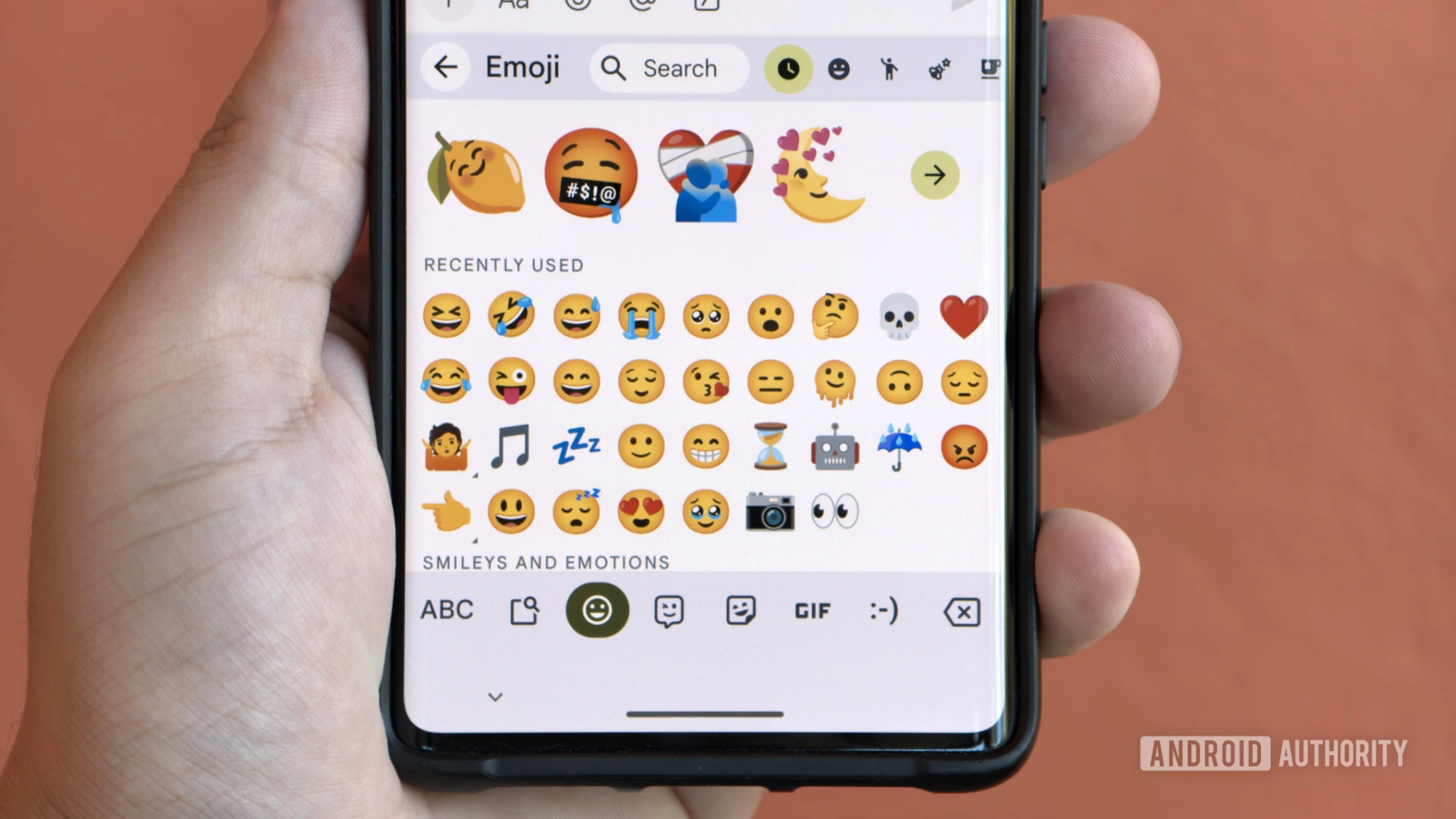
Google's Gboard keyboard has rolled out a subtle yet impactful update to its emoji picker, switching from a nine-column grid to eight columns. This adjustment increases each emoji icon's size by about 12.5%, making them easier to tap without mis-hits, especially on smaller screens.
What Changed in the Emoji Layout
The core layout of Gboard's emoji drawer remains familiar, but the reduction to eight columns provides more space per icon. Previously, the nine-column setup crammed emojis into tighter cells, raising the risk of accidental taps in dense panels. Now, with wider cells, users report "giant" emojis appearing seamlessly via a server-side flag named "emoji_picker_columns," introduced by Google in October.
This remote configuration allows Google to test and deploy layout tweaks without requiring app updates. Android enthusiasts on Reddit and Telegram first spotted the change, confirming it affects the standard emoji grid while leaving sections like Emoji Kitchen mashups and sticker suggestions untouched.
Why Larger Emojis Matter for Usability
Google's Material Design guidelines recommend a minimum touch target of 48dp (density-independent pixels) to prevent errors, a standard Gboard now better meets with bigger icons. This is crucial for users with accessibility needs, larger thumbs, or devices under seven inches, where precision typing counts.
- Improved Accuracy: Wider cells reduce mis-taps in fast-paced chats.
- Server-Side Rollout: No manual update needed; it activates gradually.
- Top Row Check: Count eight emojis in the first row to verify the update on your device.
Upcoming Emoji Scaling Toggle
Beyond the grid shift, Gboard is developing a user-controlled setting to adjust emoji scaling. Currently, emojis scale with display size rather than font size. The new toggle would decouple this, letting users fine-tune emoji appearance independentlya boon for readability preferences.
This builds on Gboard's history of customization, like its font size slider under Settings > Preferences > Font size, which ranges from 85% to 200% and impacts text across the app. Combined, these features enhance personalization without overcomplicating the interface.
Gboard's Evolution in Keyboard Features
Gboard, Google's default Android keyboard, has long prioritized utility with tools like voice typing, clipboard management, and floating keyboard modes. However, not all shine equallyfeatures like Emoji Kitchen, which mashes two emojis into custom ones, draw mixed reviews for slowing down quick replies despite creative potential.
The emoji grid expansion aligns with broader trends in mobile UX, where touch-friendly designs reduce friction. As emoji use surges in daily messagingevident in group chatsGoogle's tweaks ensure Gboard stays competitive against rivals like SwiftKey or Samsung Keyboard.
How to Check and Customize Your Gboard Emojis
To verify the update, open any app with Gboard active, tap the emoji icon, and inspect the top row. For broader tweaks:
- Go to Gboard Settings > Emojis, stickers & GIFs to enable suggestions or Emoji Kitchen.
- Adjust font scaling via Preferences > Font size slider.
- Enable auto-updates in Google Play Store for seamless feature drops.
While the eight-column grid is live for many, the scaling toggle remains in development, promising more control soon.
Impact on Android Users
This change subtly elevates everyday typing, particularly for heavy emoji users. By addressing touch targets proactively, Google reinforces Gboard's position as a versatile, accessible keyboard. As server-side flags enable rapid iteration, expect further refinements based on user feedback from communities.
With over billions of Android devices relying on Gboard, these usability wins compound, making digital expression smoother and less error-prone.